
| TL;DR: Nearly every email marketing platform now says it has AI. But that can mean something as basic as writing a subject line or something as advanced as deciding which customer should get which message, offer, or journey. This guide compares 12 AI tools for email marketing, including Klaviyo, HubSpot Marketing Hub, and Braze, and looks at the factors that actually separate them. |
Email marketers are now being promised help with almost every part of a campaign. A platform may offer to write the subject line, find an audience, recommend a product, or decide when a customer is most likely to open the email. Put those claims side by side, though, and it can be surprisingly difficult to tell which tools are making useful marketing decisions and which are simply making copy faster.
Generating the email is increasingly the easy part. The harder decisions come after the copy is written. That is, who receives it, what they see, when it arrives, and what the platform learns from their response.
What matters most depends on the job you want AI to do. A small marketing team may only need help getting campaigns out faster. An ecommerce brand may want purchase and browsing behavior to shape what each customer sees next. Whereas an enterprise team may need AI to coordinate messages, offers, channels, and timing across a much larger customer journey.
We compared 12 platforms based on the decisions their AI can make, the customer data behind those decisions, integrations, pricing, and G2 ratings. But first, here are five factors that can help you decide which kind of AI your email program actually needs.
5 Factors to Consider When Choosing an AI Tool for Email Marketing
Comparing these platforms takes more than checking which AI features appear on a pricing page. Start with these five questions before you choose.
Factor 1: What Problem You Want AI to Solve
AI can already handle plenty of writing inside an email marketing workflow, from acquisition emails to newsletters and retention campaigns. If writing is not where your team is struggling, however, paying for a platform primarily because it has an AI writer makes little sense. Better segmentation, personalization, or optimization may be more useful.
More advanced AI does not automatically make a platform a better fit. A tool that can predict customer behavior may sound more sophisticated, but it will not solve a campaign production bottleneck if that is where your team needs help.
One such bottleneck can happen after the design is already approved. Listrak Studio turns Figma email designs into responsive HTML, reducing the rebuild required before a campaign can launch.
| Question to ask: Which part of our email workflow are we actually trying to improve? |
Factor 2: What Customer Data the AI Can Use
Two platforms can both offer AI personalization and still work with very different customer context. An ecommerce platform may have access to purchases, browsing behavior, carts, and product data. A CRM-led platform may know more about leads, companies, deals, and previous interactions.
This becomes more important once AI moves beyond writing copy. Product recommendations, predictive segments, send-time optimization, and next-best actions all depend on what the platform knows about the customer.
The amount of data matters too. Individual-level send-time optimization often needs previous engagement to learn from, while purchase or churn predictions depend on enough transaction or behavioral history to identify useful patterns. More sophisticated AI may therefore offer less value to a newer email program with limited customer history.
| Question to ask: What customer data does the AI use, and how much history does it need to be useful? |
Factor 3: How Much of the Campaign the AI Can Influence
Some tools tell the marketer what to do, while others can act on that recommendation inside the campaign. One platform may identify the best time to send an email and leave the marketer to use that information. Another may use the prediction to decide automatically when each recipient gets the message.
The same pattern shows up elsewhere in the campaign. Some tools stop at generating content or suggesting what the marketer should do next. Others can build segments, create workflows, personalize what each customer receives, or change the direction of an active journey.
B2B nurture is moving in that direction too. Phave’s Maestro chooses which approved message each prospect receives next and when, rather than putting everyone through the same fixed sequence.
If your goal is to reduce hands-on campaign work, that difference matters more than how quickly the platform can generate copy.
| Question to ask: Does the AI recommend what we should do, or can it act on that recommendation inside the campaign? |
Factor 4: How Deeply It Connects With Your Existing Stack
An integration matters for more than moving contacts from one system to another. It can determine what information the AI has available in the first place.
The number of integrations listed on a website reveals only part of the picture. What matters is whether the systems your team relies on can sync the events and fields the AI needs, how quickly that data moves, and whether the platform can use it inside campaigns and journeys. Those events can increasingly trigger activity outside digital channels too. PostcardMania’s SmartTouch connects CRM events to physical mail, so something like an unanswered proposal can automatically start a postcard or letter follow-up.
| Question to ask: What data can our key integrations make available to the platform’s AI? |
Factor 5: What the AI You Need Actually Costs
The lowest price on the pricing page is rarely the number that matters. We found the same problem when comparing AI visibility tools, where similar-looking capabilities could sit behind very different plans and usage limits. In email marketing, AI-generated content may be included in an entry plan while predictive segmentation, send-time optimization, or more advanced personalization sits several tiers higher.
Pricing models can make the comparison harder. Some platforms charge by contacts or active profiles, others by email volume, seats, or usage.
Instead of comparing starting prices, compare the lowest plan that includes the AI feature you actually need. Then look at how that price changes as your list, sending volume, or AI usage grows.
| Question to ask: What will we actually pay for the AI features we need at our current scale? |
12 Best AI Tools for Email Marketing to Consider in 2026
Now that we have looked at the factors that matter, let’s look at the 12 platforms worth considering in 2026.
- ActiveCampaign
- Klaviyo
- HubSpot Marketing Hub
- Braze
- Adobe Journey Optimizer
- Optimove
- Salesforce Marketing Cloud Engagement
- Customer.io Journeys
- Iterable
- Omnisend
- Mailchimp
- Brevo
1. ActiveCampaign – Best for AI-Powered Email Automation
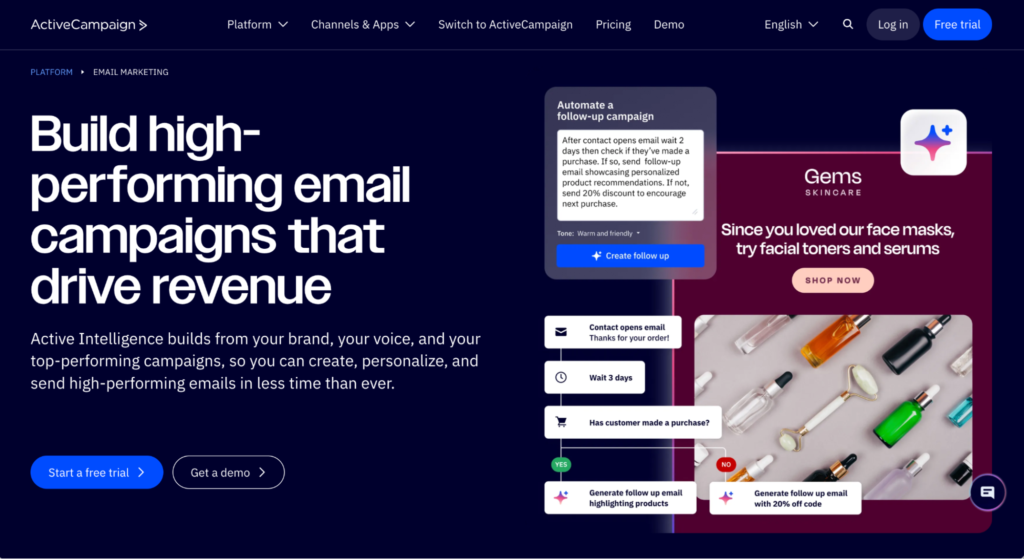
ActiveCampaign combines email marketing and marketing automation with Active Intelligence, an AI workspace spanning campaign creation, automation, and performance analysis. It is a good fit for teams that want AI to reduce the work involved in running campaigns, not merely help write them.
Its AI can help a marketer move from a prompt to an editable campaign, and use each contact’s engagement history to influence delivery. For a small marketing team, that brings together two jobs that often sit apart: producing the campaign and deciding how it should reach each person.
Source – ActiveCampaign
Notable Features
- AI Campaign Builder: Creates a complete, editable email campaign from a single prompt, including the layout, copy, subject line, images, and calls to action.
- Predictive Sending: Uses each contact’s habitual email-open times to choose an individual delivery time within a 24-hour window.
Integrations
ActiveCampaign connects with more than 1,000 apps, including Salesforce, Shopify, WooCommerce, Stripe, WordPress, Google Ads, and Zapier. More important than the number alone is what those connections can bring into an automation. A purchase, form submission, or CRM update can become the signal that changes what a contact receives next.
Rating
G2 – 4.4/5, based on 14K+ reviews.
Pricing
These are ActiveCampaign’s base Email plan prices for 1,000 contacts, billed annually:
- Starter: $15/month
- Plus: $49/month
- Pro: $79/month
- Enterprise: $145/month
Active Intelligence is available across all ActiveCampaign’s Email plans, although usage limits vary by plan. The individual-level sending capability discussed above, along with conditional content, requires Pro or Enterprise.
2. Klaviyo – Best for AI-Powered Ecommerce Personalization
Klaviyo positions itself as a B2C CRM, with email sitting alongside customer data and other marketing channels. Its advantage begins with what sits underneath the email.
Klaviyo does not have to infer interest from opens and clicks alone. A product view, abandoned cart, order, subscription change, or review can alter what a customer receives next. That makes Klaviyo a stronger fit for established ecommerce brands with enough behavioral and purchase history to reveal meaningful patterns.
Source – Klaviyo
Notable Features
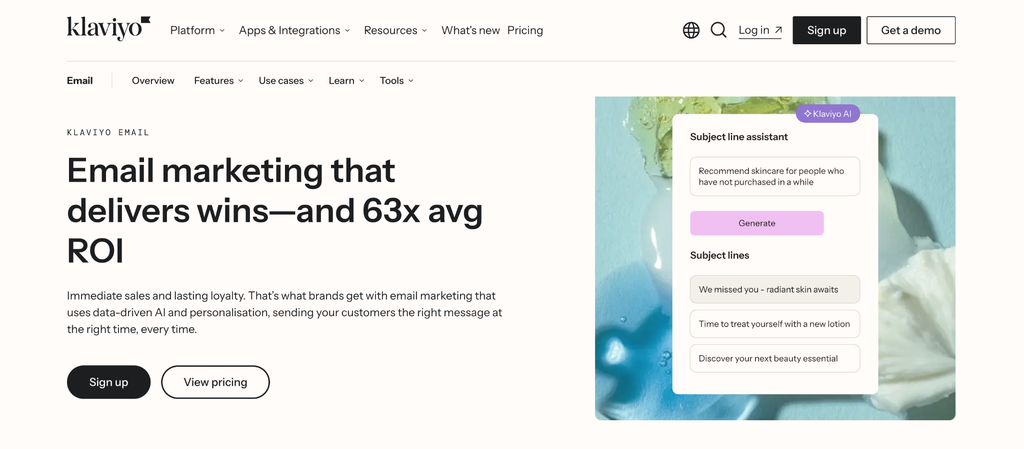
- Personalized Campaigns AI: Uses patterns in customer profiles to predict which campaign variation each recipient is most likely to engage with. Unlike a conventional A/B test, it does not choose one winner for the entire audience.
- AI product recommendations: Draws on catalog data and customer behavior to decide which products appear in an individual recipient’s email. When there is not enough data for a personalized recommendation, Klaviyo can use a secondary feed such as best-selling or most-viewed products.
- Personalized Send Time: Schedules each campaign message at the predicted best hour for its recipient, within a delivery window chosen by the marketer.
- Composer: Turns a plain-language campaign brief into an editable message and matching audience. The marketer can still review the content, audience, links, and sending settings before anything goes live.
Integrations
Klaviyo has more than 350 built-in integrations. These can bring purchase, product, browsing, subscription, loyalty, and other customer data into Klaviyo profiles for use across segmentation, flows, and personalization.
Rating
G2 – 4.6/5, based on 1.3K+ reviews.
Pricing
- Free Email plan: Up to 250 active profiles and 500 email sends per month. Klaviyo customers also receive 10,000 Composer credits for 90 days, or until those credits are used, whichever comes first. After that, paid Composer access starts at an introductory $14 per month for 2,000 credits.
- Paid plans: Scale according to the number of active profiles and features selected.
- Personalized Campaigns AI currently requires an account with at least 400,000 profiles.
3. HubSpot Marketing Hub – Best for B2B Teams Using CRM Data to Personalize Email
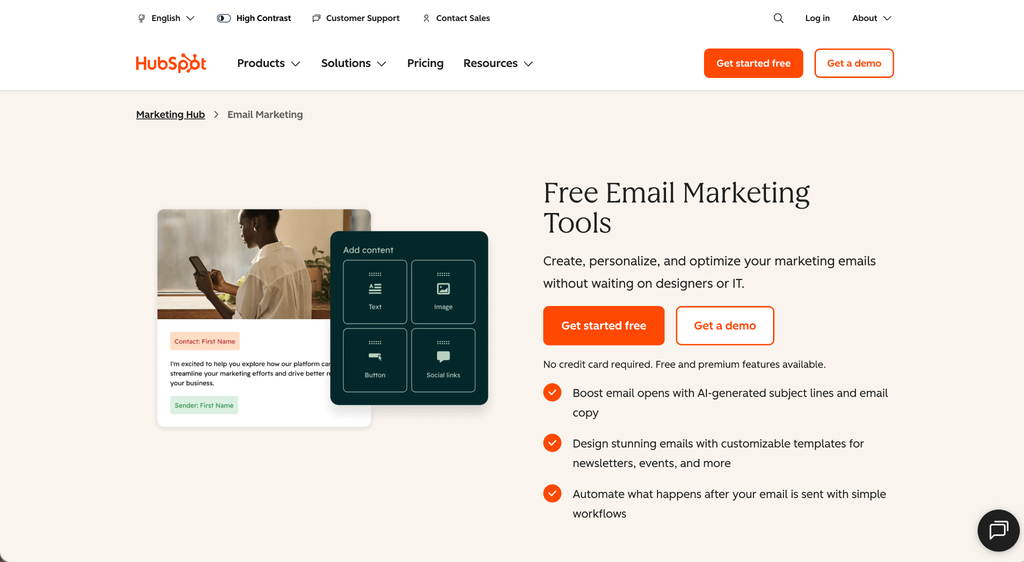
HubSpot Marketing Hub brings email marketing and automation into the same platform as HubSpot’s CRM. That means personalization does not have to rely on email behavior alone. It can also draw on the recipient’s company, lifecycle stage, previous interactions, and other information already stored in the CRM.
Consider two contacts who opened the same newsletter. One may be a new lead, while the other belongs to an account already moving through the sales pipeline. Their email engagement looks identical, but their relationship with the business does not. HubSpot has enough context to treat them differently.
Source – HubSpot
Notable Features
- CRM-based 1:1 personalization: Uses contact and company information from HubSpot’s unified CRM to generate different email content for individual recipients.
- Individual send-time optimization: Uses each contact’s email opens and clicks from the previous 90 days to predict when that person should receive a campaign.
- Messaging Insights: Compares an email’s results with similar sends from the same account and highlights performance differences. It needs at least 30 emails sent during the previous 90 days, with at least 250 recipients per email, before it has enough history to work with.
- Programmable email: Pulls CRM object data directly into email content. Professional accounts can use standard CRM objects, while Enterprise can also draw from custom objects and HubDB tables.
Integrations
The HubSpot Marketplace includes more than 2,000 apps. For teams already using HubSpot, however, the most important connection may be the one they do not need to configure: marketing, contact, company, and deal data already share the same platform. The integration question then becomes which external signals should enrich that record, rather than how to move basic lead data into the email tool.
Rating
G2 – 4.4/5, based on 14K+ reviews.
Pricing
The prices listed below are from HubSpot’s regular catalog pricing rather than temporary promotional discounts.
- Marketing Hub Free: $0/month
- Marketing Hub Starter: Starts at $20/month per seat
- Marketing Hub Professional: Starts at $890/month and includes three Core Seats
- Marketing Hub Enterprise: Starts at $3,600/month and includes five Core Seats
- Professional requires a $3,000 one-time onboarding fee; Enterprise onboarding costs $7,000.
These are Marketing Hub prices, not prices for HubSpot’s broader customer platform. The AI-powered email capabilities discussed here begin with Professional Plan, while individual contact send-time optimization currently requires Enterprise Plan.
4. Braze – Best for AI-Powered Cross-Channel Decisioning
Braze brings email together with push notifications, SMS, in-app messaging, WhatsApp, and other customer engagement channels. That changes the question its AI can answer. Instead of only deciding how to improve an email, Braze can help determine whether email is the right interaction for that customer in the first place.
The advantage becomes clearer when a journey spans several channels. One customer may need a different message, another a different channel, and another a different time. BrazeAI Decisioning Studio tests those choices together and learns from the response. This makes Braze more relevant to marketing teams coordinating complex customer journeys than to those mainly looking for an AI email writer.
Source – Braze
Notable Features
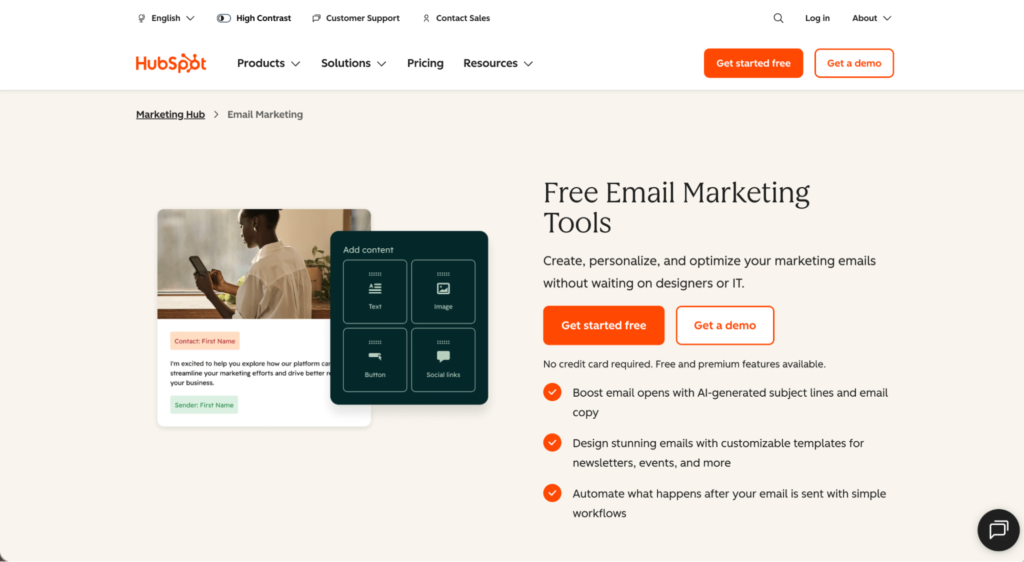
- BrazeAI Decisioning Studio: Its decisioning agents optimize the channel, message, creative, offer, timing, and frequency for each customer rather than treating these as separate decisions.
- Personalized Variant: Selects a campaign variation for each customer based on their likelihood to engage, instead of declaring one version the winner for the entire audience.
- Real-time triggers: Can start campaigns when a customer takes a particular action, such as viewing a product, abandoning a cart, or completing a purchase.
- BrazeAI Operator: Uses AI-powered assistance to help marketers create or update campaigns, apply targeting and personalization, and diagnose problems in campaign workflows.
Integrations
Braze connects with 140+ technology partners across customer data, analytics, ecommerce, cloud storage, and messaging.
Rating
G2 – 4.5/5, based on 1.6K+ reviews.
Pricing
- Braze does not publish fixed dollar prices for its platform editions. Buyers must request a quote based on their requirements. However, its pricing page lists four editions: Braze Go, Select, Pro, and Enterprise. You can contact Braze for a custom quote.
5. Adobe Journey Optimizer – Best for AI-Powered Offer Decisioning
Adobe Journey Optimizer is an enterprise customer journey platform for coordinating email, web, mobile, app, and other interactions. Because it runs on Adobe Experience Platform, those interactions can draw on customer behavior and attributes gathered from different sources.
Adobe’s clearest difference is how it selects offers. Adobe can first remove offers a customer is not eligible to receive and then rank the remaining options using business rules, formulas, or AI models. Two people entering the same campaign can therefore receive different products, promotions, or offers.
The order of those decisions matters. Eligibility rules and frequency caps give the business control over what may be shown; the model chooses from what remains. That makes Adobe a better fit for teams managing a large or frequently changing offer catalogue than for those mainly looking for help writing email copy.
Source – Adobe
Notable Features
- AI-powered offer decisioning: A personalized optimization model uses profile attributes, behavior, and audience membership to rank eligible offers for each customer.
- Send-time optimization: Uses machine learning to predict when an individual customer is most likely to engage with an email or push notification. Adobe requires at least 30 days of historical Email or Push usage before the feature can be enabled.
- Journey Agent: Lets marketers create and analyze journeys through natural-language prompts, including identifying audience conflicts, performance issues, and possible improvements.
- Real-time event-based journeys: Can trigger individual journeys from streamed customer events, such as a purchase, cart abandonment, or loyalty milestone.
Integrations
Journey Optimizer shares its foundation with Adobe Experience Platform and connects with products such as Real-Time CDP, Customer Journey Analytics, and Experience Manager Assets. For teams already working in the Adobe ecosystem, this can reduce the need to assemble customer profiles, journey execution, analytics, and content management across separate systems.
Rating
G2 – 4.2/5, based on 160+ reviews.
Pricing
- Adobe does not publish fixed dollar pricing for Journey Optimizer. You can contact Adobe for customized pricing.
6. Optimove – Best for AI That Continuously Optimizes Email Decisions
Optimove is a customer engagement platform with native email available through Optimove Engage. Optimove splits marketing decisions across specialized AI agents, each handling a different part of the campaign.
The value is in how those agents work together. Optimove can coordinate their decisions around the same business goal, so send time is not optimized separately from audience, offer, or content.
Source – Optimove
Notable Features
- AI Journey Decisioning Agent: Determines the next-best campaign for each customer using lifecycle stage, previous campaign responses, and real-time behavior.
- AI Content Decisioning Agent: Tests content variations within a message and shifts traffic toward versions producing stronger responses. Optimove began phased general availability in June 2026, so access may still vary by account.
- AI Offer Decisioning Agent: Uses AI-led testing to match customers with the offer, message, and channel combination most likely to support the campaign goal.
- AI Send-Time Optimization Agent: Learns individual engagement patterns and assigns each customer a personalized sending window instead of sending the entire campaign at one fixed time.
Integrations
Optimove supports 150+ ready-made connectors, along with APIs, streaming data connections, and batch data transfers. These options cover ecommerce systems, data warehouses, analytics tools, messaging providers, and other parts of the marketing stack.
The number of connectors is only part of the buying decision. Teams also need to determine which customer actions must reach Optimove immediately and which can arrive in scheduled batches. That choice affects whether the platform can respond to behavior as it happens or use the data only in a later campaign cycle.
Rating
G2 – 4.6/5, based on 230+ reviews.
Pricing
- Optimove Engage, which includes native email, is priced according to message volume and channel usage. You can contact their team for a customized quote.
7. Salesforce Marketing Cloud Engagement – Best for High-Volume Enterprise Email
Salesforce Marketing Cloud Engagement is built for enterprise email and cross-channel programs, with Email Studio handling email creation and delivery. The AI features covered in this section sit under Marketing Cloud Einstein, Salesforce’s predictive intelligence for using subscriber behavior to optimize email delivery, frequency, content, and engagement scoring. Scale is a genuine differentiator here: Salesforce says the platform sends more than 4 billion messages each day.
For buyers, the practical question is whether Einstein has enough history to learn from. Salesforce says its Marketing Cloud Einstein features need at least seven days of engagement data, recommends 28 days, and considers 90 days optimal. Send Time Optimization, for example, looks at 90 days of engagement history. The platform therefore makes more sense for established programs with a steady flow of subscriber activity than for a team beginning with a new or lightly engaged list.
Source – Salesforce
Notable Features
- Einstein Send Time Optimization: Uses 90 days of data to predict the best delivery time for each contact within the following 24 hours. Salesforce rebuilds the model weekly using the latest commercial engagement data.
- Einstein Engagement Frequency: Reviews recent sending patterns to identify whether individual contacts are receiving too many, too few, or an appropriate number of messages.
- Einstein Content Selection: Chooses content at open time using the contact’s profile and category affinity, while continuing to test which assets generate stronger click-through rates.
- Einstein Engagement Scoring: Assigns predicted engagement scores that marketers can use to segment contacts by their likelihood to open, click, engage, or unsubscribe.
Integrations
Marketing Cloud Engagement connects directly with Salesforce Sales, Service, and Commerce data. For organizations already using Salesforce, this shared customer context may be more valuable than the number of third-party integrations available.
It allows an email journey to respond to information already held elsewhere in the business, such as a sales opportunity, service interaction, or purchase. That challenge becomes especially important in banking, where customer communications can originate in several systems. MHC NorthStar takes a similar context-driven approach to banking communications, helping institutions use earlier customer activity to shape what gets communicated next. Teams that do not use Salesforce’s broader ecosystem will need to weigh that advantage against the work required to connect and maintain external data sources.
Rating
G2 – 4.0/5, based on 4.6K+ reviews.
Pricing
Salesforce’s current Engagement+ pricing combines Marketing Cloud Engagement capabilities with access to newer Marketing Cloud products. The plans listed below include AI features:
- Corporate+: $5,500 per organization per month, billed annually. Includes 10 million email messages, 1 million mobile app messages, and 45,000 contacts.
- Enterprise+: $30,000 per organization per month, billed annually. Includes 150 million email messages, 10 million mobile app messages, and 500,000 contacts.
8. Customer.io Journeys – Best for AI Decisions Inside Lifecycle Journeys
Customer.io Journeys is a customer engagement product for building automated journeys across email, push notifications, in-app messaging, SMS, WhatsApp, and other channels. It is particularly suited for companies that already collect detailed product and behavioral data and want campaigns to respond to what individual customers do.
Most AI assistants help marketers prepare a campaign before it launches. Customer.io can also call a language model while a person is already moving through an automation. The result can be stored and used by the next step, turning AI into part of the journey’s decision logic rather than keeping it only in the content editor.
Notable Features
- LLM Actions: Runs an AI model inside an automation and stores the result as a journey or customer attribute. That result can personalize a message, enrich profile data, or determine which branch the customer enters next. The feature is currently in beta.
- AI Agent: Works with Customer.io workspace data to create segments and automations, draft messages, answer performance questions, and help troubleshoot campaign setup.
- AI-powered segment builder: Turns a plain-language audience description into segment conditions using the attributes and events available in the workspace. Customer.io recommends reviewing those conditions before using the segment.
- Routines: Let the Agent perform recurring checks such as monitoring deliverability, auditing segments, or reviewing campaign performance, then return a summary to the marketer.
Integrations
Customer.io is designed to bring first-party customer and event data directly into campaigns. It supports APIs, webhooks, SDKs, warehouse connections, and Data Pipelines integrations.
For product-led companies, the important point is what happens to that data after it arrives. Events such as signup, feature use, purchase, or inactivity can immediately trigger or redirect a lifecycle journey instead of remaining isolated inside an analytics tool. Customer.io also offers an MCP connection for teams that want external AI tools to work with their workspace.
Rating
G2 – 4.4/5, based on 900+ reviews.
Pricing
Customer.io publishes three Journeys plans:
- Essentials: Starts at $100 per month for 5,000 profiles and 1 million emails per month. It includes the AI Agent with core execution skills.
- Premium: Starts at $1,000 per month, billed annually. It adds custom profile and email volumes, elevated Agent limits, custom skills, Daily Routines, and premium integrations.
- Enterprise: Uses custom pricing and adds custom Agent limits, dedicated infrastructure, governance features, migration support, and additional technical support.
Only LLM Actions consume AI credits. Additional credits cost $10 per 100,000, while the AI Agent itself is included in the subscription.
9. Iterable – Best for AI-Powered Message Delivery Optimization
Iterable is a customer engagement platform for lifecycle campaigns across email, push notifications, SMS, in-app messaging, and other channels. Its AI focuses heavily on the delivery layer, making it a better fit for established lifecycle programs.
Once a team is already running campaigns across several channels, the harder problem is often deciding how each message should reach the customer without overwhelming them.
But those decisions get better with time. If Iterable does not yet have enough engagement data for a user, Send Time Optimization may simply fall back to the campaign’s scheduled time. And for Channel Optimization, Iterable recommends having at least three months of campaign activity to work with.
Source – Iterable
Notable Features
- Send Time Optimization: Uses historical engagement data to determine an individual delivery time for email or push notifications. When Iterable cannot make a reliable prediction, it uses the campaign’s configured send time.
- Frequency Optimization: Assigns each user a personalized message limit within a range set by the marketer. The limit can vary by channel or message type instead of applying one cap to the entire audience.
- Channel Optimization: Predicts the most suitable channel for each customer from the email, SMS, and push options available in a journey.
- Predictive Goals: Uses customer properties and behavioral events to estimate which users are likely to convert on a defined business goal. Marketers can then turn a selected probability range into a campaign audience.
Integrations
Iterable accepts customer and event data through integrations, APIs, data feeds, SDKs, and warehouse connections. Once inside the platform, the same behavioral events can trigger journeys, shape segments, personalize content, track conversions, and contribute to predictions.
Rating
G2 – 4.4/5, based on 800+ reviews.
Pricing
- Iterable does not publish fixed dollar pricing. You can request a demo for a customized quote.
10. Omnisend – Best for Growing Ecommerce Brands That Want Accessible AI
Omnisend is an ecommerce-focused email and SMS platform, offering campaigns, automations, segmentation, and customer data built around online store activity. It brings practical AI features into a platform that a growing store can adopt without assembling a separate customer data and journey-management stack.
Omnisend’s more advanced AI becomes available gradually rather than immediately. Its personalized delivery options appear only after a store has sent at least 10 email campaigns, so a new account must first establish a campaign history.
Source – Omnisend
Notable Features
- Personalized Sending Time: Chooses an individual delivery time according to the selected goal: opens, clicks, or placed orders. Messages are delivered within a 24-hour window, while contacts without enough history receive a brand-level fallback time.
- AI-powered segmentation: Converts a plain-language audience request into editable segment rules. Saved segments continue updating as customer behavior and store data change.
- AI copywriting: Generates and improves subject lines and copy for campaigns and automations. When Brand Assets are configured, suggestions can reflect the store’s tone and visual identity.
- Omnisend MCP: Lets marketers connect external AI tools to their Omnisend account. Depending on the connection and permissions granted, they can inspect campaign data, draft emails, build segments, and work with automations through natural-language prompts.
Integrations
Omnisend supports 130+ connected apps, with native ecommerce integrations for Shopify, WooCommerce, BigCommerce, Wix, and other platforms.
The store connection is central to the product rather than an optional extra. It gives Omnisend access to purchases, products, browsing activity, and customer status, which can then shape segments, automation triggers, recommendations, and campaign timing. Stores using a custom platform can connect through an API, but should expect more implementation work than those using a native integration.
Rating
G2 – 4.6/5, based on 1.2K+ reviews.
Pricing
Omnisend’s prices scale with the number of billable contacts. The amounts below are its regular starting rates:
- Free: $0 per month for up to 250 contacts and 500 monthly emails.
- Standard: Starts at $16 per month. The monthly email allowance is 12 times the number of billable contacts.
- Pro: Starts at $59 per month and includes unlimited email sends.
AI-powered Personalized Sending Time is included with the Pro version. Standard customers can purchase it as an add-on, but the 10-campaign history requirement applies on both plans.
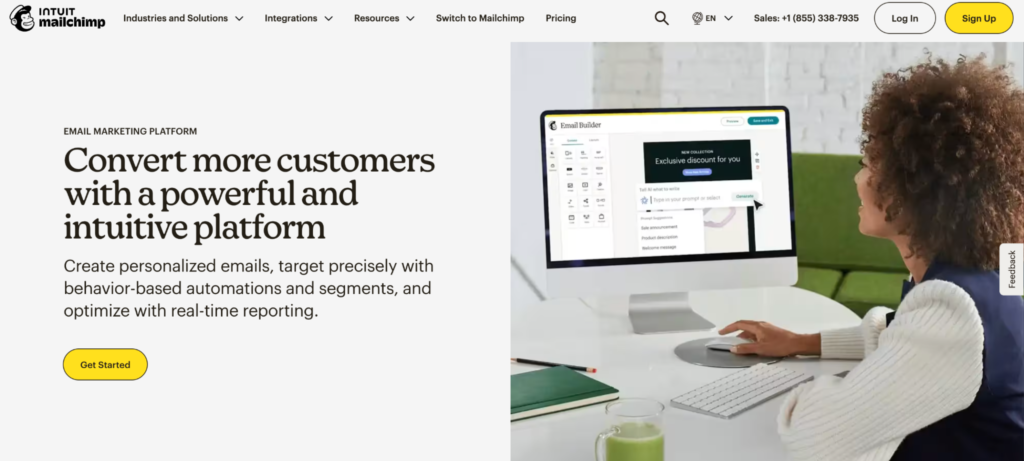
11. Mailchimp – Best for Small Businesses Ready to Use Predictive Marketing
Mailchimp is an email marketing and automation platform aimed largely at growing businesses. It combines email creation, segmentation, ecommerce integrations, and automation in a product that is easier to enter than the enterprise platforms mentioned earlier in this list.
Its predictive AI becomes more useful when a business connects its store. Mailchimp can then move beyond reporting what customers did in the past and estimate what they may do next. For a small ecommerce business, that changes the targeting question from “Who opened the last email?” to “Who appears ready to buy again?”
The trade-off is that these predictions are not available from the moment an account is created. They require a connected store, at least one email campaign, sufficient customer activity, and a Standard plan or higher.
Source – Mailchimp
Notable Features
- Predictive analytics: Estimates purchase likelihood and value, time to the next purchase, and customer churn risk using store activity and marketing engagement.
- Predictive segmentation: Turns those forecasts into targetable audience conditions, such as customers with high purchase likelihood or customers at greater risk of churning.
- AI-powered product recommendations: Uses individual purchase history to rank products for each subscribed contact. This requires at least 10 products, 50 customers, and 500 orders in the previous year. Stores without enough data can use options such as best sellers or new arrivals instead.
- Write with AI: Helps marketers draft and edit content in the email builder while reflecting their brand voice and tone. It is currently a beta feature available to a limited percentage of users on Standard or higher, and only for accounts with a primary mailing address in Australia, Canada, the United Kingdom, or the United States.
Integrations
Mailchimp offers 300+ integrations, including Shopify, WooCommerce, Wix, Salesforce, Stripe, and Zapier.
For predictive marketing, simply connecting an app is not the same as having enough useful data. The store must send Mailchimp consistent purchase and browsing activity before its models can identify patterns reliably. Businesses should therefore check whether their ecommerce integration syncs the specific events required for the predictions they want to use.
Rating
G2 – 4.3/5, based on 12K+ reviews for Intuit Mailchimp Email Marketing.
Pricing
Mailchimp currently shows promotional discounts beside its regular starting prices, which are listed below.
- Free: $0 for up to 250 contacts and 500 monthly email sends.
- Essentials: Starts at $13 per month for up to 500 contacts.
- Standard: Starts at $20 per month for up to 500 contacts. This is the first tier with predictive analytics and eligibility for Write with AI.
- Premium: Starts at $350 per month.
Pricing increases with contact and sending limits. Availability of beta AI features may also vary between eligible accounts.
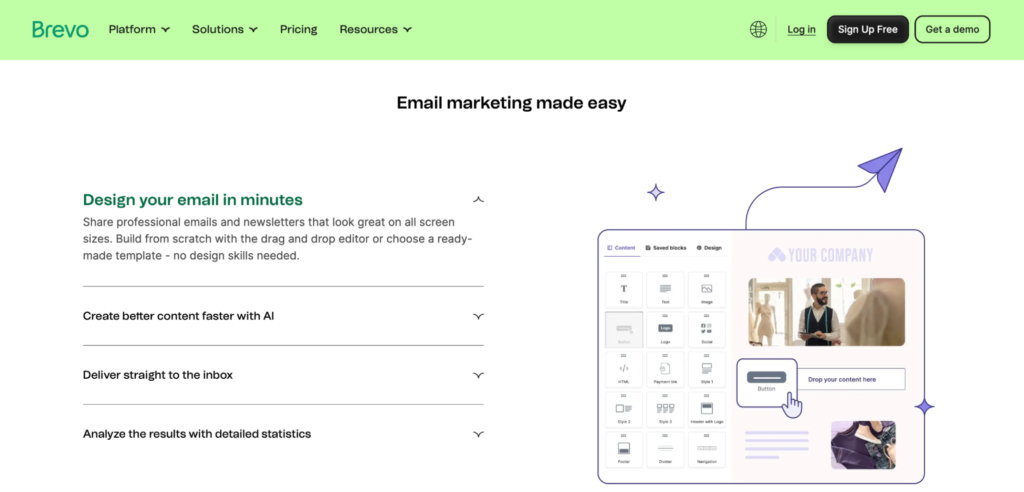
12. Brevo – Best for Growing Teams That Want a Clear AI Upgrade Path
Brevo combines email, SMS, WhatsApp, automation, transactional messaging, and customer data tools. Its AI assistant, Aura, appears across the platform, but the depth of its capabilities changes considerably between plans.
That creates a clearer upgrade path than many platforms in this list. A growing business can begin with content assistance and add more data-driven personalization as its needs become more complex. The trade-off is a substantial price jump between Standard and Professional, so buyers should decide whether they need advanced AI now or only a path to it later.
Source – Brevo
Notable Features
- AI send-time optimization: Aura selects an individual sending time from engagement history and delivers the campaign within 24 hours. For new contacts, it uses patterns from the account’s previous campaigns. If the account has no history, it falls back to aggregate Brevo data.
- AI product recommendations: Uses recent purchase activity to select products for individual contacts. Marketers can configure another product feed to use when there is not enough activity for a personalized recommendation.
- AI segmentation and Data Analyst: Aura can suggest audiences from customer behavior and attributes, while AI Data Analyst lets marketers ask plain-language questions about their data.
- AI-generated automations: Turns a marketer’s description into a ready-to-edit workflow, configuring elements such as triggers, delays, A/B splits, contact updates, and channel settings. Email content and segmentation conditions still require manual completion before activation.
Integrations
Brevo can receive customer data through ecommerce plugins, APIs, databases, FTP imports, and external data feeds. Its real-time data feeds can retrieve information when a message is sent, allowing an email to display current inventory, appointments, recommendations, or other changing details.
Rating
G2 – 4.5/5, based on 2.6K+ reviews for Brevo Marketing Platform.
Pricing
Brevo publishes five Marketing Platform plans:
- Free: $0, with up to 300 email sends per day.
- Starter: Starts at $9 per month for 5,000 monthly emails and includes AI content generation.
- Standard: Starts at $18 per month for 5,000 monthly emails. It adds marketing automation, A/B testing, and AI send-time optimization.
- Professional: Starts at $499 per month for 150,000 monthly emails. It adds AI segmentation, AI product recommendations, personalized data feeds, contact scoring, and advanced analytics.
- Enterprise: Custom pricing.
How the 12 AI Email Marketing Tools Compare
The table below brings together the main differences in who each platform is best suited for, what its AI can do, and what you can expect to pay.
| Platform | Best For | What the AI Can Do | Relevant AI Access | Starting Price |
| ActiveCampaign | AI-powered email automation | Builds campaigns, recommends audiences and content, and optimizes individual send times | Active Intelligence is available across plans with limits on Starter and Plus. Predictive Sending requires Pro or Enterprise | $15/month |
| Klaviyo | AI-powered ecommerce personalization | Personalizes campaign variations, products, and send times using commerce and engagement data | Some advanced capabilities have additional requirements. Personalized Campaigns AI requires 400,000+ profiles | Free plan available |
| HubSpot Marketing Hub | B2B teams using CRM data to personalize email | Uses CRM context for personalization, analyzes performance, and optimizes individual send times | AI-powered email and Messaging Insights are available on Professional and Enterprise. Individual contact send-time optimization is currently in beta and requires Enterprise | $20/month per seat |
| Braze | AI-powered cross-channel decisioning | Optimizes channel, message, offer, timing, frequency, and campaign variations | More advanced predictive and personalization capabilities depend on the Braze Platform Edition and AI access | Custom pricing |
| Adobe Journey Optimizer | AI-powered offer decisioning | Ranks eligible offers, optimizes send times, and assists with journey creation and optimization | Availability and licensing vary for offer decisioning, send-time optimization, and Journey Agent | Custom pricing |
| Optimove | AI that continuously optimizes marketing decisions | Uses specialized agents to optimize journeys, offers, content, audiences, and send times | AI capabilities span Optimove Engage, Orchestrate, and Optimove AI. Availability of some newer agents can vary by account | Custom pricing |
| Salesforce Marketing Cloud Engagement | High-volume enterprise email | Predicts engagement, optimizes send times and frequency, and selects personalized content | Several Einstein optimization features require Corporate+ or Enterprise+ rather than the entry Pro+ edition | $2,000/org/month, billed annually |
| Customer.io Journeys | AI decisions inside lifecycle journeys | Runs LLM actions within workflows, builds segments, creates automations, and analyzes performance | Core Agent capabilities start on Essentials. LLM Actions are currently beta and AI usage is credit-based | $100/month |
| Iterable | AI-powered message delivery optimization | Optimizes send time, channel, frequency, and audiences using customer behavior | Some optimization features require additional access, and AI performs best with sufficient customer history | Custom pricing |
| Omnisend | Growing ecommerce brands that want accessible AI | Writes content, builds segments, and personalizes send times using ecommerce and engagement data | Advanced AI personalization is on Pro. Personalized Sending Time can also be added to Standard | Free plan available |
| Mailchimp | Small businesses ready to use predictive marketing | Predicts purchase behavior and churn, builds predictive segments, recommends products, and generates content | Predictive analytics and Write with AI require Standard or Premium. Write with AI is currently in limited beta | Free plan available |
| Brevo | Growing teams that want a clear AI upgrade path | Generates content, personalizes send times, recommends products, builds segments, and analyzes marketing data | AI content starts on Starter, send-time optimization on Standard, and more advanced AI on Professional | Free plan available |
The clearest dividing line is how much context the AI can use and how far it can carry a decision. Some platforms improve an email; others can choose the audience, offer, channel, timing, or next step.
Those deeper decisions often come with conditions, including more customer history, a larger database, a higher-tier plan, or separate AI access. The most advanced platform, therefore, is not necessarily the most useful one for your email program.
Final Takeaway
The best test of an AI email platform is not whether it can produce an email. It is whether it can make a decision your team would otherwise have to make manually. Run one real journey with your own customer data and watch where the AI helps, where it hesitates, and where the marketer still has to step in. That boundary will tell you more about the platform than its longest feature list.
Disclaimer: This article is based on publicly available product documentation, pricing pages, and third-party reviews. We have not independently tested every platform listed. Pricing and features were accurate at the time of research but may change. Always verify current pricing and feature availability directly with the vendor before making a purchasing decision.