
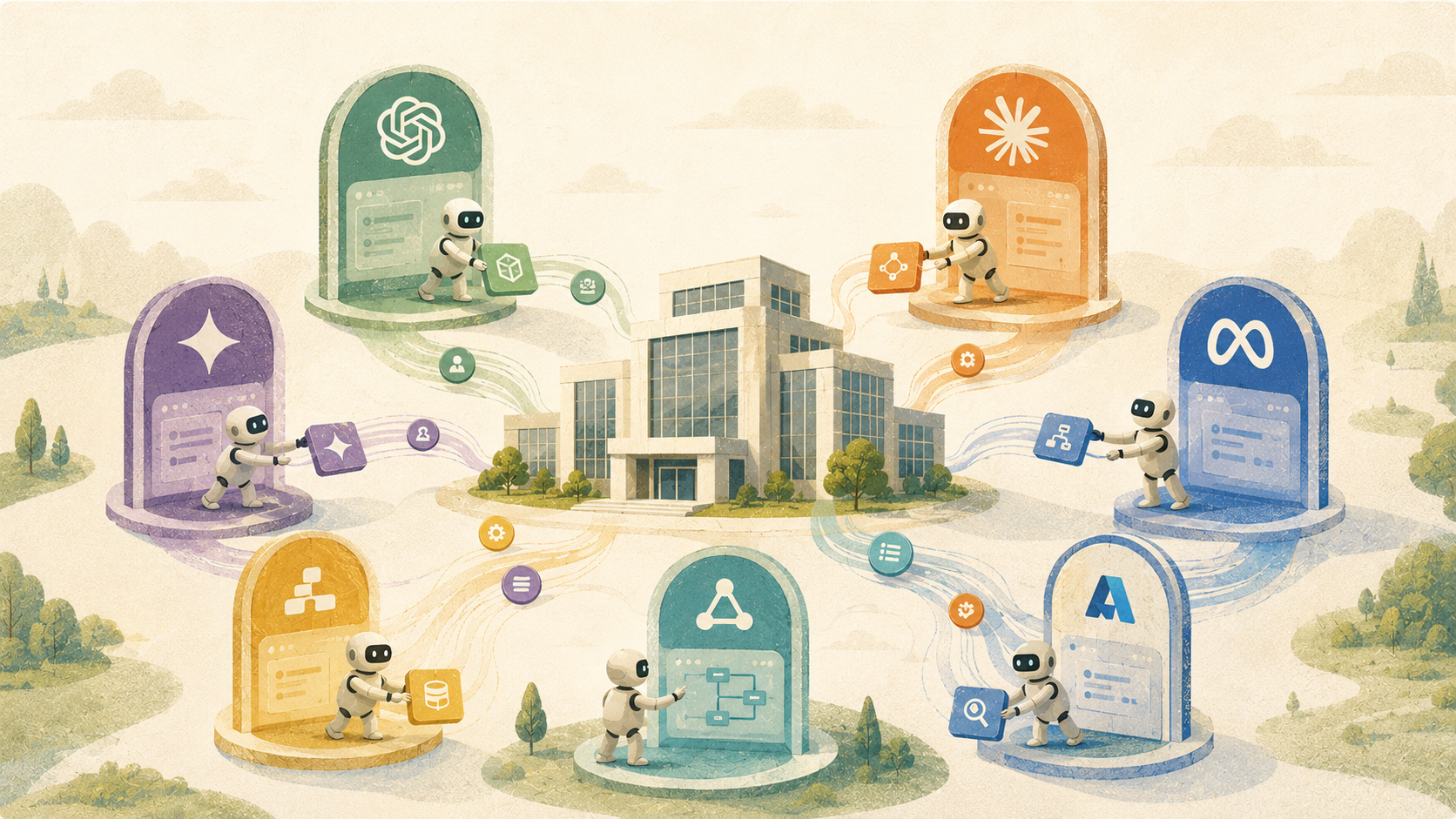
| TL;DR: Enterprise agentic AI platforms may promise similar capabilities, but they are built around very different strengths. They generally fall into two groups: broad orchestration platforms and tools built around an existing software ecosystem. This guide compares seven leading agentic AI platforms across integrations, implementation time, pricing, user-reported strengths, and limitations to help enterprises build a more relevant shortlist. |
Agentic AI platforms have moved from experimental to something companies are actively budgeting for. The interest is real, but so is the confusion. There are dozens of platforms in the market right now, and on the surface, most of them look similar. Every platform promises autonomous workflows, seamless integrations, and enterprise-grade reliability.
The differences often become clear only during implementation. A platform built for customer service automation behaves very differently from one built for internal IT workflows. A platform that performs well in a contained pilot may struggle when agents need to work across departments, legacy systems, regions, and thousands of interactions.
This article covers seven agentic AI platforms built for enterprise use. We selected platforms that can support complex integrations, governance, multi-agent orchestration, and organization-wide deployment. For each, we have summarized what it is built for, what it does well, and where it has limitations, based on public reviews.
But first, let’s look at how to evaluate these platforms.
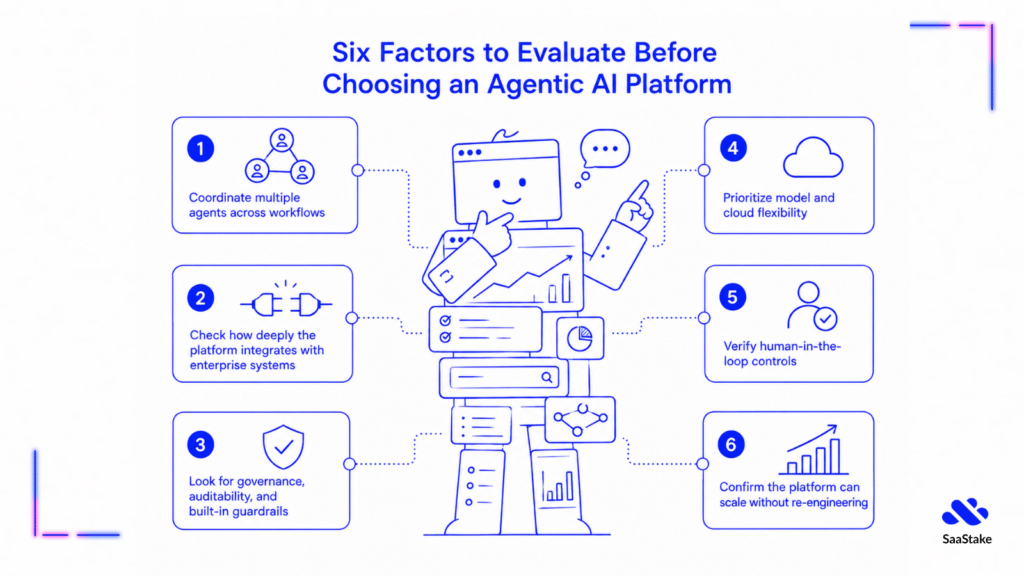
Six Factors to Evaluate Before Choosing an Agentic AI Platform
You see, an extensive list of features is not enough. Buyers also need to check how the platform coordinates agents, acts across systems, maintains human oversight, and scales in production.
The six factors below can help you make the right choice.
Factor 1: Multi-Agent Orchestration
A platform that supports a single agent doing everything tends to hit a ceiling quickly. As workflows get more complex, you need agents that can collaborate, divide tasks, hand off context, and operate in parallel. The question is whether the platform supports this kind of multi-agent architecture natively, or whether it bolts coordination on top of a fundamentally single-agent design.
| Question to ask: Can you walk me through a live example where two or more agents hand off a task mid-execution without losing context? |
Factor 2: Depth of Enterprise Integrations
Agents can only act on systems they can access. It is a good idea to look for platforms with pre-built connectors to the tools you actually use, such as CRM, ITSM, HRIS, and ERP, along with open APIs for anything that is not covered out of the box.
The number of connectors advertised matters less than whether the right ones are there and whether they run deep enough to support real actions rather than just read-only data access.
| Question to ask: Do these systems have pre-built connectors, and what does building a custom integration actually require in terms of time and engineering resources? |
Factor 3: Governance, Auditability, and Guardrails
In a world where agents are taking actions on behalf of your organization, knowing why an agent did what it did is not optional. Look for platforms with audit logs, decision tracing, role-based access controls, and policy enforcement built into the core product.
| Question to ask: How does the platform explain a specific agent decision to a compliance auditor who needs to understand why an action was taken? |
Factor 4: Model and Cloud Flexibility
Vendor lock-in at the model level is a real risk. For instance, recall how Anthropic suspended access to the Fable model after the US government’s export-control directive. Companies like Prime Intellect are addressing this dependency by helping enterprises train, evaluate, deploy, and improve their own models through one integrated stack.
The best LLM for your use case today may not remain the best option in eighteen months. Platforms that allow you to bring your own models, switch between providers, or run in your preferred cloud environment give you more room to optimize over time. Platforms that tie you to a single model or a single cloud provider reduce that flexibility significantly.
| Question to ask: If we needed to switch the underlying LLM next year, what would that migration look like operationally? |
Factor 5: Human-in-the-Loop Controls
Fully autonomous agents are not appropriate for every decision. It is a good idea to look for platforms with well-defined escalation paths, approval workflows, and handoff mechanisms that preserve context when a task needs human review. The ability to intervene cleanly, without the agent losing its place or the context it has built up, is a meaningful differentiator.
| Question to ask: How does the platform handle a situation where an agent is not confident about a decision? Who gets notified and what does the handoff look like? |
Factor 6: Scalability Without Re-Engineering
Running three agents in a pilot is a very different technical challenge from running three hundred agents across multiple departments. Some platforms scale naturally because they were built for it from the start. Whereas others require significant re-architecture as usage grows. It is a good idea to understand what changes, technically and commercially, as you scale from a proof of concept to an organization-wide deployment.
| Question to ask: What does your platform look like when a customer scales from one team to ten? What changes in the architecture and in the pricing? |
Now that we have had a look at the factors, let’s look at the platforms.
7 Top Agentic AI Platforms To Consider in 2026
The right agentic AI platform for you depends on the workflows you want to automate, the systems it needs to access, and the level of control your organization requires.
Below, we will examine seven leading platforms, including what each one does well, where it fits best, and the limitations buyers should consider.
- Kore.ai
- IBM watsonx Orchestrate
- Workato
- Microsoft Copilot Studio
- Salesforce Agentforce
- ServiceNow AI Agents
- Gemini Enterprise Agent Platform
Let’s look at them, one by one.
1. Kore.ai – Best for Enterprises That Need Agents Across Multiple Use Cases
Kore.ai is an enterprise agent platform designed for customer service, employee support, and cross-functional process automation. Its Artemis platform allows organizations to build and operate agents across multiple systems, departments, and communication channels.
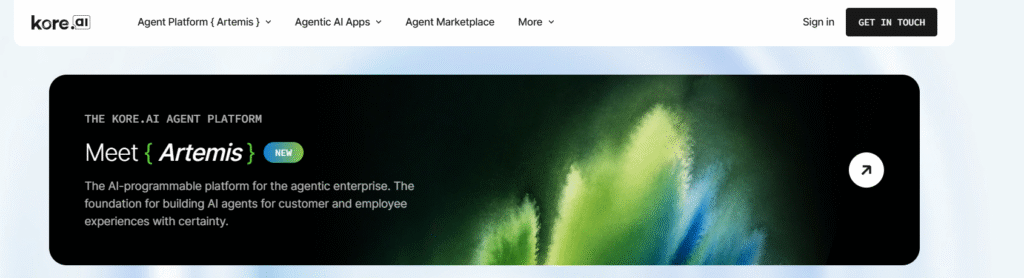
Source – Kore AI
The platform supports visual and code-based agent development. It also includes multi-agent orchestration, governance controls, evaluations, observability, and tools for improving agents after deployment.
Notable Features
- Multi-agent orchestration: Supports delegation, handoffs, escalation, parallel execution, and agent-to-agent coordination.
- Flexible agent development: Agent Studio combines visual and code-based authoring, while Arch helps turn business requirements into agent workflows.
- Governance and observability: Teams can trace agent actions, evaluate performance, enforce guardrails, and review decisions before and after deployment.
Integrations
Kore.ai reports more than 300 enterprise application integrations and support for over 40 voice and digital channels. These integrations include Microsoft 365, Salesforce, HubSpot, Jira, GitHub, Slack, Microsoft Teams, and other industry-specific systems.
Notable Customers
Morgan Stanley, Pfizer, Deutsche Bank, Coca-Cola, Airbus, Johnson & Johnson, and eBay.
Analyst Recognition
Kore.ai was named a Leader in the 2026 Gartner Magic Quadrant for Conversational AI Platforms. It was also named a Leader in the Forrester Wave for Conversational AI Platforms for Customer Service, Q2 2026, and the Everest Group Agentic AI Products PEAK Matrix Assessment 2026.
Strengths
Based on the user reviews we examined on G2, Kore.ai stands out in three areas:
- Low-code agent development: Reviewers frequently highlight the visual builder, drag-and-drop tools, and templates. These features help teams build and test conversational workflows without writing extensive code.
- Flexible integrations and customization: Users value the ability to connect Kore.ai with enterprise systems and APIs while still customizing more advanced workflows. Several reviewers also mention support for both chat and voice use cases.
- Natural-language handling across channels: Reviewers report that the platform can understand varied user queries and support deployment across multiple communication channels. This makes it useful for customer and employee-facing automation.
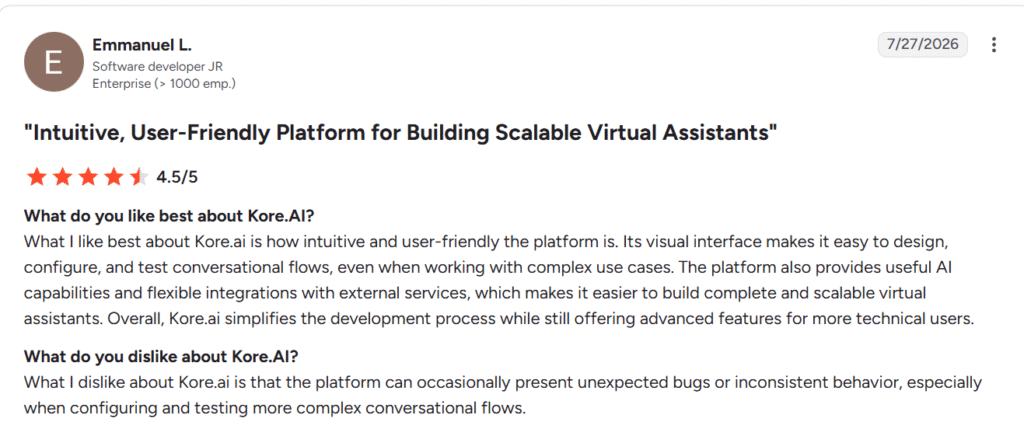
Source – G2
Limitations
The G2 reviews also point to three limitations buyers should consider:
- A learning curve for advanced use cases: While basic workflows can be built visually, reviewers say that advanced features and custom integrations still require technical knowledge and time to master.
- A crowded interface: Some users find the number of settings, components, and configuration options overwhelming. Even simple changes may require navigating several areas of the platform.
- Occasional performance and debugging issues: A few reviewers mention bugs, latency during complex workflows, and limited documentation or error guidance when troubleshooting custom integrations.
Rating
G2 – 4.6/5, based on 503 reviews
Pricing
Kore.ai does not publish a single standard price for the complete platform. They offer different pricing plans based on the product. You can contact their team for more information.
2. IBM watsonx Orchestrate – Best for Regulated Industries and Hybrid Cloud Environments
IBM watsonx Orchestrate helps enterprises build and coordinate AI agents across HR, sales, finance, procurement, customer service, and IT. It brings agents, workflows, and business systems into one place, so teams can see how they work together and manage them at scale.
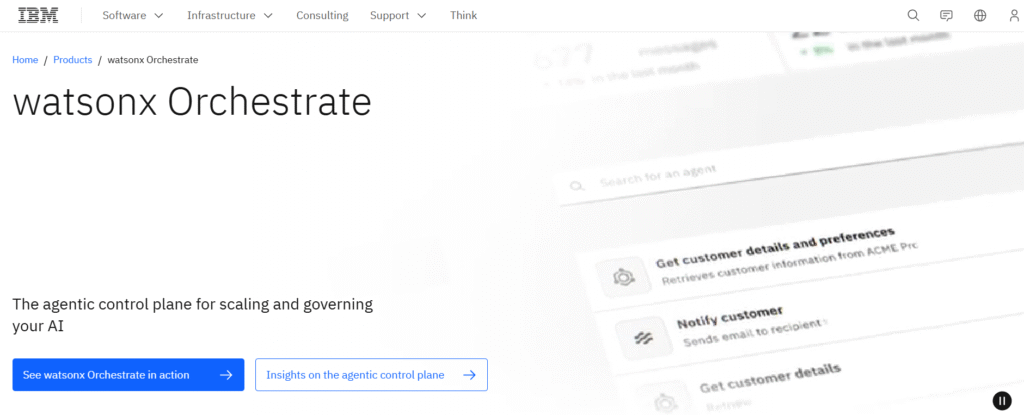
Source – IBM
The platform supports both low-code and pro-code development. Companies can use prebuilt agents, create their own, or connect agents built through other tools.
What sets watsonx Orchestrate apart is its focus on openness, governance, and hybrid deployment. It can run across cloud and on-premises environments, which makes it relevant for organizations with strict security, compliance, or data residency requirements.
Notable Features
- Agentic control plane: Provides centralized visibility into how agents operate, collaborate, and perform across the organization.
- Multi-agent orchestration: Coordinates agents, tools, applications, and workflows across complex, multi-step business processes.
- Flexible agent development: Supports prebuilt agents, low-code development, professional development tools, and third-party agents.
Integrations
IBM watsonx Orchestrate connects with more than 100 enterprise applications. The supported systems include Microsoft, Salesforce, SAP, ServiceNow, Workday, Oracle, Appian, and UiPath.
Notable Customers
UFC, Ferrari, the Recording Academy, Riyadh Air, and Serre Chevalier Vallée.
Strengths
Based on the user reviews we examined, IBM watsonx Orchestrate stands out in three areas:
- Natural-language and low-code automation: Reviewers value the ability to trigger tasks and create workflows through plain-language instructions without relying heavily on custom code.
- Multi-agent workflow orchestration: Users also highlighted its ability to coordinate several agents, applications, and workflow steps from one environment, reducing disconnected scripts and manual processes.
- Enterprise integrations and governance: Reviewers appreciate its connections with systems such as SAP, Workday, and Salesforce. Audit trails, centralized oversight, and compliance controls are also frequently mentioned as valuable for enterprise deployments.
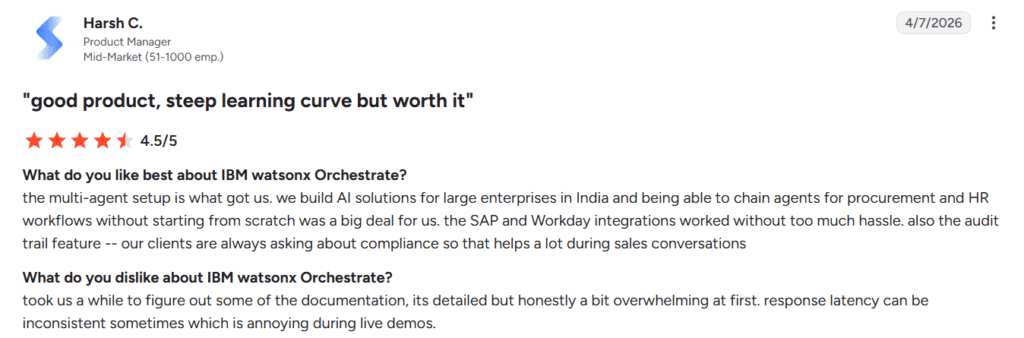
Source – G2
Limitations
User reviews also point to three limitations buyers should consider:
- Steep learning curve during implementation: Reviewers pointed out that the initial setup, documentation, and workflow configuration can feel complex, particularly for users expecting a completely no-code experience.
- Technical effort for advanced workflows: Complex conditions, legacy systems, and highly customized processes may still require support from IT or development teams.
- Occasional debugging and performance issues: Some users mention difficulties debugging agent behavior, inconsistent response times, and latency when workflows involve larger data volumes or several integrations.
Rating
G2 – 4.4/5, based on 394 reviews
Pricing
IBM watsonx Orchestrate’s Essential Edition starts at $530 per instance per month. You can purchase the platform for cloud or on-premises deployment, and IBM also offers a free trial.
3. Workato – Best for Cross-System Enterprise Orchestration
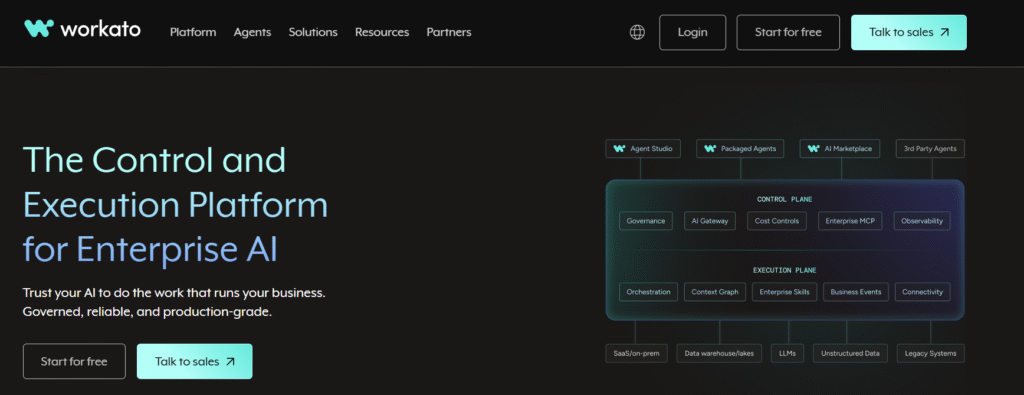
Workato began as an enterprise integration and automation platform. Its agentic layer now allows companies to build AI agents that can act across the systems Workato already connects.
Source – Workato
That foundation is the main reason it stands out. Many agent platforms can reason or call tools. Workato combines those capabilities with an execution engine already built to run workflows across finance, HR, IT, sales, and operations.
The platform also brings governance and execution together. Its Control Plane manages permissions, approvals, model access, and audit trails. Whereas its Execution Plane carries out the work across applications, APIs, databases, and legacy systems.
Notable Features
- Agent Studio: Allows teams to build no-code AI agents called Genies. These agents can use company knowledge, call workflows, and take actions across connected systems.
- Enterprise MCP: Turns existing Workato workflows into governed tools that Claude, ChatGPT, Cursor, and custom agents can use.
- Governed execution: Includes role-based access, human approvals, audit logs, data controls, model routing, and guardrails for agent actions.
Integrations
Workato highlights that its platform can reach more than 14,000 applications. These include Salesforce, SAP, Workday, ServiceNow, Microsoft 365, NetSuite, Snowflake, Slack, Jira, HubSpot, and Zendesk.
Notable Customers
Nasdaq, Vodafone, Samsara, Lenovo, Cisco, Intuit, Visa, Atlassian, and Lucid.
Analyst Recognition
Workato was named a Leader in the 2026 Gartner Magic Quadrant for Integration Platform as a Service. This marks its eighth consecutive year as a Leader and its third year positioned furthest for Completeness of Vision.
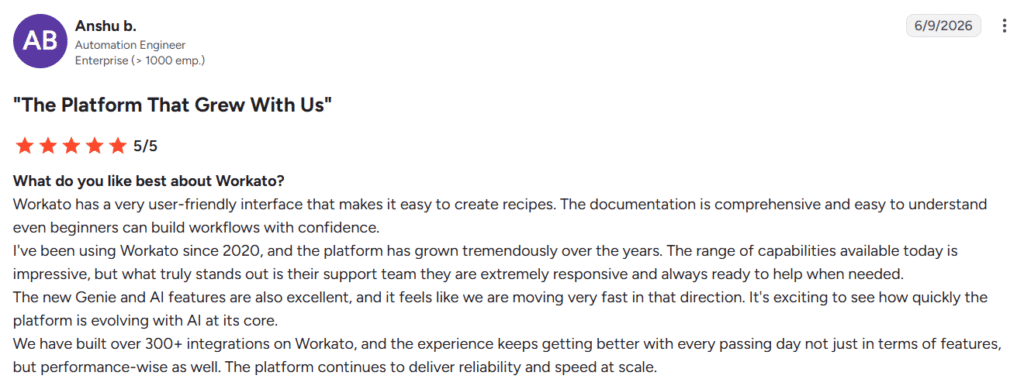
Strengths
Based on the user reviews, Workato stands out in three areas:
- Accessible low-code automation: Reviewers frequently praise its visual recipe builder. It helps both technical and non-technical users create workflows without writing extensive custom code.
- Extensive connector ecosystem: Users value how quickly they can connect business applications and automate data movement between systems. Prebuilt connectors reduce the need to develop integrations from scratch.
- Strong workflow management: Reviewers also highlight its automation capabilities, monitoring tools, job logs, alerts, and error-handling features. These make it easier to operate business-critical workflows at scale.
Source – G2
Limitations
The reviews also point to a few limitations to consider:
- Costs can rise with usage: Reviewers say credit and task consumption can make costs difficult to predict as data volumes and automation activity increase.
- Advanced workflows have a learning curve: Although basic recipes are accessible, complex logic, formulas, nested workflows, and custom connectors may still require technical knowledge.
- Debugging can become difficult: Some users mention unclear error messages, limitations in certain data-processing features, and extra troubleshooting when workflows become more complex.
Rating
G2: 4.7/5, based on 776 reviews
Pricing
Workato offers a usage-based pricing model for its direct customers. You can contact their team for more information.
4. Microsoft Copilot Studio – Best for Organizations Already Running Microsoft 365
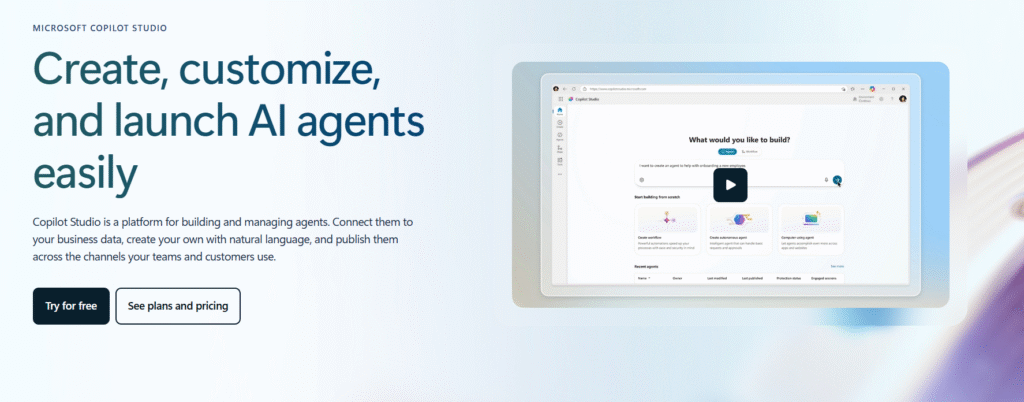
Microsoft Copilot Studio helps organizations build, customize, and manage AI agents using natural-language instructions and low-code tools. For teams already working in Microsoft 365, it is a natural place to start.
Agents can connect with Teams, SharePoint, Outlook, Power Platform, Dynamics 365, Azure services, and company data. They can support internal workflows or be published across websites, apps, and social channels.
Source – Microsoft
The platform is becoming more flexible beyond Microsoft’s own models and applications. However, reviewers say advanced workflows, custom integrations, and troubleshooting can still require more technical knowledge than the low-code positioning suggests.
Notable Features
- Natural-language agent building: Teams can describe what an agent should do and refine its workflows through a visual interface.
- Business data integration: Agents can use enterprise information from Microsoft 365, Dataverse, Azure, knowledge bases, and connected applications.
- Multi-channel deployment: Organizations can publish agents inside Microsoft 365 or across external websites, applications, and social platforms.
Integrations
Copilot Studio integrates closely with Microsoft Teams, SharePoint, Outlook, Word, Excel, Power BI, Power Apps, OneDrive, Dynamics 365, Dataverse, and Azure services. It also supports custom connectors, APIs, knowledge bases, and selected external applications.
Notable Customers
Brown University Health, AGCO, Sirva, California State University San Marcos, the Ad Council, and Cactus Life Sciences.
Strengths
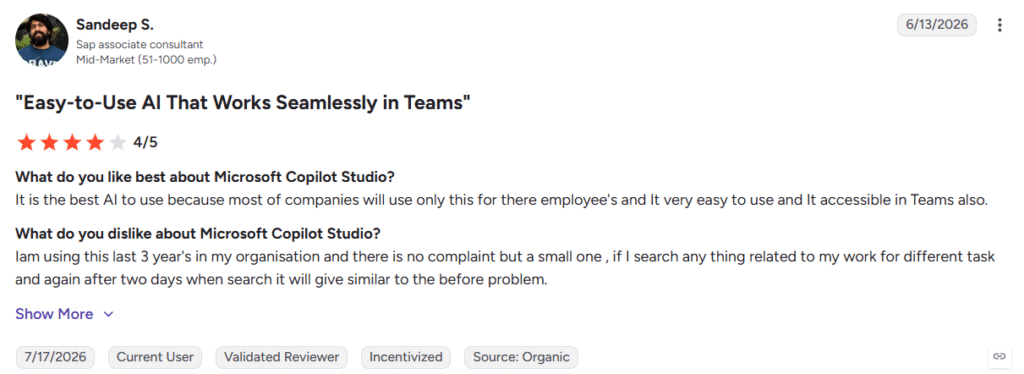
Based on the user reviews, Microsoft Copilot Studio stands out in the following areas:
- Accessible low-code development: Reviewers frequently mention that natural-language instructions and the visual interface make basic agents easier to build without deep programming knowledge.
- Strong Microsoft ecosystem integration: Users value its connections with Teams, SharePoint, Outlook, Power BI, Power Automate, and other Microsoft tools.
- Useful workflow automation: Reviewers highlight its ability to connect agents with company data, automate routine tasks, and support customer service, sales, and internal knowledge workflows.
Source – G2
Limitations
The reviews also highlight the following limitations:
- Advanced customization can become complex: Users noted that sophisticated workflows and integrations may still require technical knowledge and careful configuration.
- Testing and troubleshooting need improvement: Some users mention vague settings, unclear error messages, and a testing environment that does not always explain why an agent has failed.
- Costs can increase with usage: Reviewers note that pricing may become harder to manage as agent activity and external deployments grow.
Rating
G2: 4.4/5, based on 155 reviews
Pricing
Microsoft 365 Copilot costs $30 per user per month when paid annually and includes tools for creating internal agents within Microsoft 365.
The standalone Copilot Studio is available through prepaid Copilot Credit Commit Units or pay-as-you-go billing. An Azure subscription is required for standalone and externally deployed agents.
5. Salesforce Agentforce – Best for Teams That Live and Breathe Salesforce
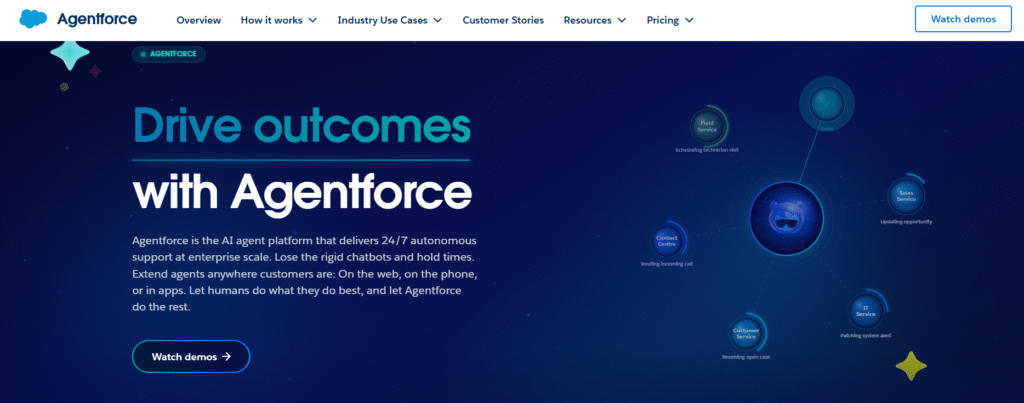
Agentforce is Salesforce’s platform for building AI agents that can answer questions, complete tasks, and take action across customer and employee workflows. For organizations already using Salesforce for sales, service, marketing, and customer data, it extends the systems their teams already work with.
Source – Salesforce
Agentforce’s main advantage is context. Agents can use Salesforce CRM records, Data 360, knowledge bases, workflows, and business rules to understand a request before deciding what to do next.
The platform can also connect with external tools through APIs, MuleSoft, Slack, and MCP. However, its strongest value still comes from how closely it works with the wider Salesforce platform.
Notable Features
- Agent Builder: Allows teams to configure agents, actions, subagents, and instructions through low-code tools.
- Multi-agent orchestration: Enables several specialized agents to work together on more complex tasks.
- Agentforce Observability: Helps teams monitor agent performance, investigate behavior, and improve accuracy over time.
Integrations
Agentforce connects directly with Salesforce CRM, Data 360, Service Cloud, Sales Cloud, Marketing Cloud, Slack, and MuleSoft. It also supports external systems such as Microsoft Teams, Outlook, SAP, Jira, Google Workspace, HubSpot, Genesys, Gong, and Confluence.
Notable Customers
OpenTable, SharkNinja, Indeed, Heathrow, Equinox, Fujitsu, Finnair, Prudential, and Good360.
Analyst Recognition
Salesforce was named a Leader in the 2026 Gartner Magic Quadrant for Conversational AI Platforms. Agentforce is also positioned as a G2 Leader across AI Agents, AI Customer Support Agents, AI Agent Builders, and Conversational Interface Agents.
Strengths
Based on the user reviews we examined, Salesforce Agentforce stands out in the following areas:
- Low-code workflow automation: Users highlight the ability to build agents that create records, summarize cases, qualify leads, generate emails, and complete routine actions with relatively little custom development.
- Context-aware customer and employee support: They also report that Agentforce brings relevant customer information and recommended actions into one place, reducing manual work and tool switching.
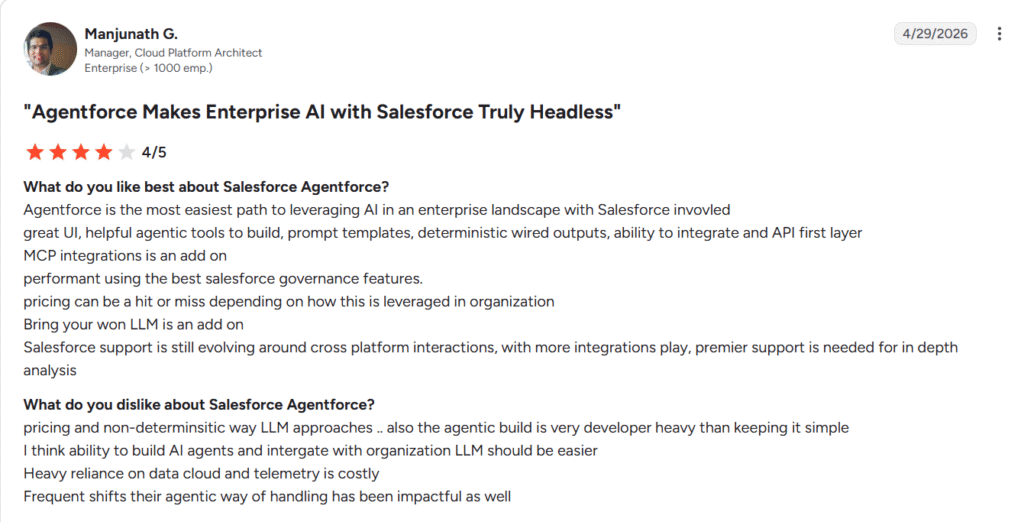
Limitations
The reviews also point to the following limitations:
- Setup depends heavily on clean data: Reviewers note that outdated knowledge articles, duplicate records, and inconsistent CRM fields can reduce the accuracy of agent responses.
- Advanced testing and debugging can be difficult: Some users find it hard to trace why an agent selected a particular action. Testing long, multi-step conversations can also require substantial manual effort.
- Pricing can be difficult to forecast: Credit consumption, per-conversation billing, Data 360 usage, and unsuccessful agent loops can make costs harder to estimate at scale.
Source – G2
Rating
G2: 4.3/5, based on 1,202 reviews
Pricing
Salesforce Foundations includes Agent Builder and 200,000 Flex Credits at no additional cost for eligible Salesforce customers. Additional Flex Credits start at $500 for 100,000 actions. Salesforce also offers conversation-based pricing at $2 per conversation.
6. ServiceNow AI Agents – Best for Large IT and Operations Teams
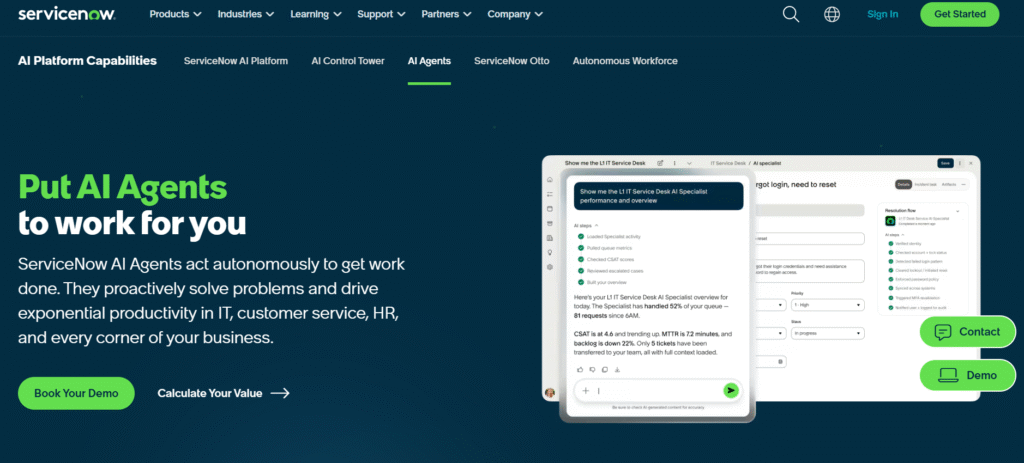
ServiceNow AI Agents brings autonomous agents into the workflows organizations already run on the Now Platform. For teams using ServiceNow across IT, customer service, security, and operations, agents can work with existing records, permissions, and business processes rather than operating as a separate AI layer.
The platform includes ready-to-use agents for common workflows as well as AI Agent Studio for building custom agents through natural-language instructions.
Source – ServiceNow
Its biggest advantage is context. Agents can use CMDB records, knowledge articles, historical incidents, live cases, and data from connected systems. However, the quality of their work still depends heavily on how complete and accurate that underlying information is.
Notable Features
- AI Agent Studio: Allows teams to build specialized agents, define their roles, set guardrails, and automate tasks using natural language.
- AI Agent Orchestrator: Coordinates multiple agents across complex, multi-step workflows.
- AI Control Tower and Agent Fabric: Helps organizations monitor and govern ServiceNow and third-party agents from one central environment.
Integrations
ServiceNow says its AI Agents can access enterprise data across more than 450 systems. The supported integrations include Microsoft 365, Teams, Workday, Salesforce, SAP, Jira, Slack, Databricks, PagerDuty, Dynatrace, Claude, and Gemini.
Notable Customers
Hitachi Vantara, Blackhawk Network, Griffith University, the City of Raleigh, Cancom, and LAB3.
Analyst Recognition
ServiceNow was ranked first for the Building and Managing AI Agents use case in the 2025 Gartner Critical Capabilities for Enterprise Low-Code Application Platforms.
Strengths
Reviewers tend to see the most value when ServiceNow AI Agents are added to an established Now Platform environment. Here are the additional things users liked.
- Reduced manual work: Users appreciated faster ticket handling, automated assignment, case summaries, suggested responses, and quicker resolution of routine service requests.
- Smooth fit for existing ServiceNow teams: Reviewers already using ServiceNow say agents can be added to familiar workflows without introducing a separate platform or extensive custom development.
Limitations
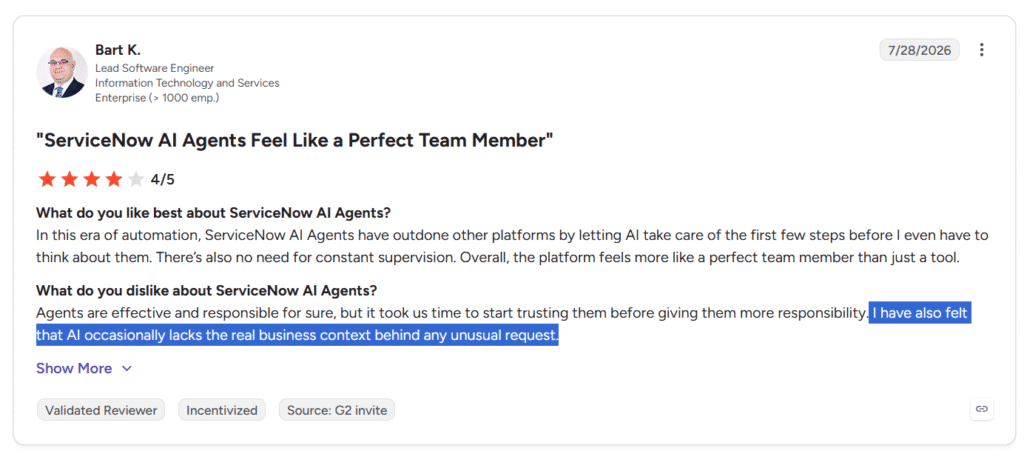
The close dependence on the ServiceNow environment also creates its main limitations. Here is what one user had to say:
Source – G2
- Performance depends on data quality: Users pointed out that incomplete CMDB records, outdated knowledge articles, and poorly maintained data can reduce the accuracy of agent recommendations.
- Complex cases still require human review: Some users report that agents can miss context or produce less reliable results for unusual, nuanced, or multi-step requests.
- Setup and cost can be difficult to manage: There were also mentions of difficulty forecasting Assist-unit consumption and understanding changing licensing entitlements.
Rating
G2 – 4.3/5, based on 468 reviews
Pricing
ServiceNow does not publish standard pricing for AI Agents. You can contact their team for more information.
7. Gemini Enterprise Agent Platform – Best for Organizations Running on Google Cloud
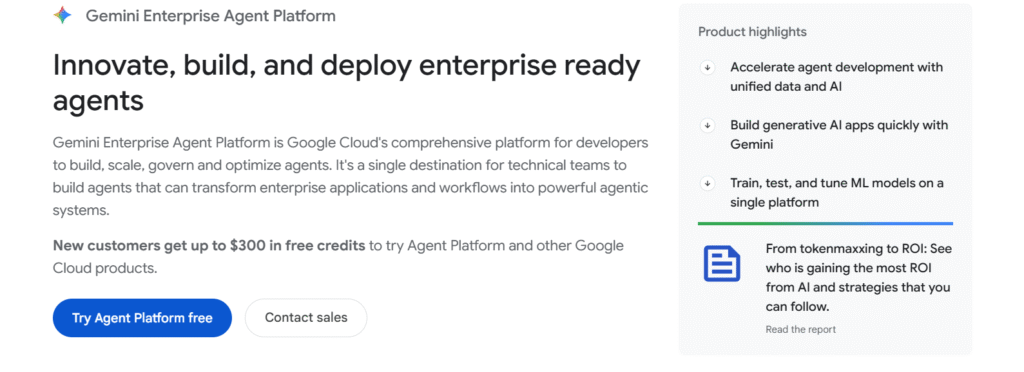
Google’s Gemini Enterprise Agent Platform gives technical teams one environment to build, deploy, and manage AI agents on Google Cloud. It brings together visual agent building, programmatic development, and managed infrastructure in one platform.
Its biggest advantage is how closely it works with Google Cloud data and services. Teams using BigQuery, Cloud Storage, Google Workspace, and Cloud IAM can connect agents to existing enterprise data without building a separate infrastructure layer.
Source – Gemini
The platform also gives developers access to more than 200 Google, third-party, and open models through Model Garden. That includes Gemini, Anthropic’s Claude family, and Gemma. This makes it broader than a platform built around a single model provider.
The trade-off is complexity. Google Cloud offers a large number of agent, model, data, search, and infrastructure services. That flexibility is valuable for technical teams, but it can make architecture and cost planning difficult for organizations new to GCP.
Notable Features
- Agent Studio and ADK: Teams can prototype agents visually, then move into code when they need custom tools, logic, or orchestration.
- Model Garden: Provides access to more than 200 Google, third-party, and open models, along with evaluation and tuning tools.
- Managed development and governance: Supports model evaluation, deployment, monitoring, pipelines, registries, and governance across the agent lifecycle.
Integrations
The platform integrates closely with BigQuery, Cloud Storage, Google Workspace, Cloud SQL, Looker, Firebase, and other Google Cloud services. It also supports external tools and platforms such as LangChain, Snowflake, Microsoft Teams, Visual Studio Code, and WordPress.
Notable Customers
GA Telesis.
Analyst Recognition
Google was named a Leader in the 2025 Gartner Magic Quadrant for AI Application Development Platforms. It was also named a Leader in the 2025 IDC MarketScape for Worldwide Generative AI Lifecycle Foundation Model Software.
Strengths
Based on reviews examined, we found reviewers are most positive when the platform is used for the work Google Cloud already handles well, which includes:
- Fast grounding in enterprise data: Users value how easily agents can connect with BigQuery, Cloud Storage, search systems, and internal documents. This reduces the work required to build retrieval pipelines and manage separate vector infrastructure.
- A practical path from prototype to production: Users also like the balance between a visual interface for testing and SDK or API access for more advanced development. Managed infrastructure also reduces the operational work required to deploy agents.
Source – G2
Limitations
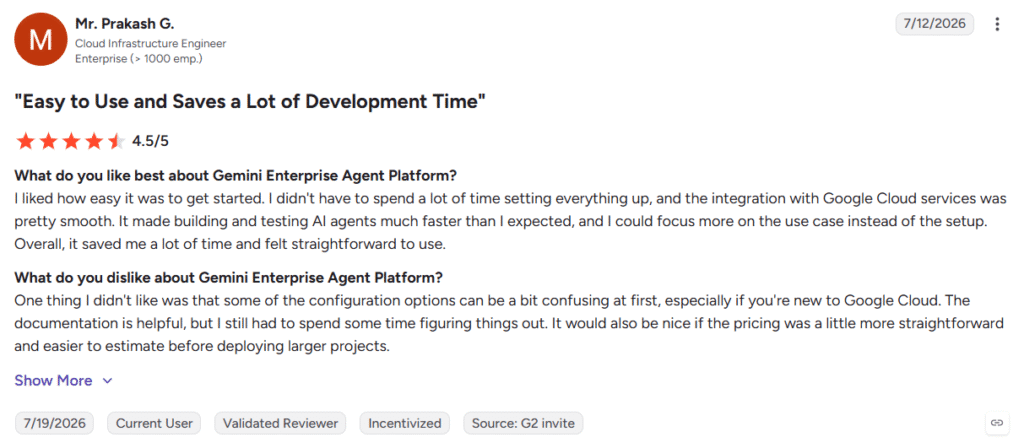
The breadth also creates some trade-offs for teams adopting the broader cloud platform. Here is what users are dissatisfied about:
- The architecture takes time to understand: Reviewers say the overlap between data stores, search applications, agents, models, and other Google Cloud services can be confusing at first.
- Advanced workflows often require code: The visual interface works well for prototypes, but complex conditions, multi-agent orchestration, and detailed fallback logic may require Python, APIs, or additional Google Cloud expertise.
- Costs are difficult to forecast: Model tokens, search queries, compute, storage, indexing, and testing are billed separately. Reviewers say this can make expenses harder to monitor as usage grows.
Rating
G2: 4.3/5, based on 737 reviews
Pricing
Gemini Enterprise Agent Platform follows a pay-as-you-go model. Charges can vary based on model usage and other Google Cloud resources. Moreover, new Google Cloud customers can receive up to $300 in free credits to test the platform and other Google Cloud services.
How the Seven Enterprise Agentic AI Platforms Compare
These seven platforms approach enterprise agentic AI from different starting points. While some extend the software ecosystems companies already use, others focus on cross-system orchestration, hybrid deployment, or large-scale service operations.
The table below brings those differences together across best fit, primary advantage, main limitation, pricing approach, and G2 rating.
Let’s look at the table.
| Platform | Best For | Number of Integrations | Time to Implement (Based on G2) | G2 Rating |
| Kore.ai | Enterprises deploying agents across customer service, employee support, and several business functions | 300+ enterprise applications and 40+ channels | 2 months | 4.6/5 |
| IBM watsonx Orchestrate | Regulated industries and organizations requiring hybrid or on-premises deployment | 100+ enterprise applications | NA | 4.4/5 |
| Workato | Enterprises that need agents and workflows to act across many business systems | 14,000+ applications | NA | 4.7/5 |
| Microsoft Copilot Studio | Organizations already using Microsoft 365, Teams, Power Platform, and Azure. | Not publicly stated | 1 month | 4.4/5 |
| Salesforce Agentforce | Salesforce-centric sales, service, marketing, and customer-support teams | Not publicly stated; 33 listed on G2 | NA | 4.3/5 |
| ServiceNow AI Agents | Large IT, operations, customer-service, and security teams already using ServiceNow | 450+ systems | 3 months | 4.3/5 |
| Gemini Enterprise Agent Platform | Technical teams building agents and AI applications on Google Cloud | 30 listed on G2 | 3 months | 4.3/5 |
Final Takeaway
No single platform leads across every enterprise use case. Each tool has its edge. However, the strongest choice for you will usually depend on the systems your organization already uses, the data agents need to access, and the governance controls required.
Before committing, it is always a good idea to test one real workflow using your own data, integrations, approval rules, and expected usage volume. That will reveal more about the platform’s suitability than a feature list or controlled demonstration.
Disclaimer: This article is based on publicly available information including product documentation, analyst reports, third-party reviews, and pricing data sourced from G2, Gartner, Forrester, and Capterra. We have not independently tested any of the platforms listed. Pricing information was accurate at the time of research but may have changed. Always verify pricing and feature details directly with vendors before making a purchasing decision.