| TL;DR: Patent drafting software can help you turn invention disclosures into applications, generate descriptions and figures from existing claims, and check drafts for errors. This guide compares 10 tools, including DeepIP, Solve Intelligence, and ClaimMaster, explaining where each fits best. It also covers six factors to evaluate, so you can build a shortlist around how you prepare patent applications. |
If you’re evaluating patent drafting software, you probably already know which parts of preparing an application take too much of your time. Turning inventor notes into a detailed description, updating figure references, and checking claim terminology can consume hours within a single application.
The challenge is finding a tool that reduces that work without leaving you with more corrections. A draft generated in minutes offers limited value if you spend hours fixing technical details or rewriting sections before sending it for review.
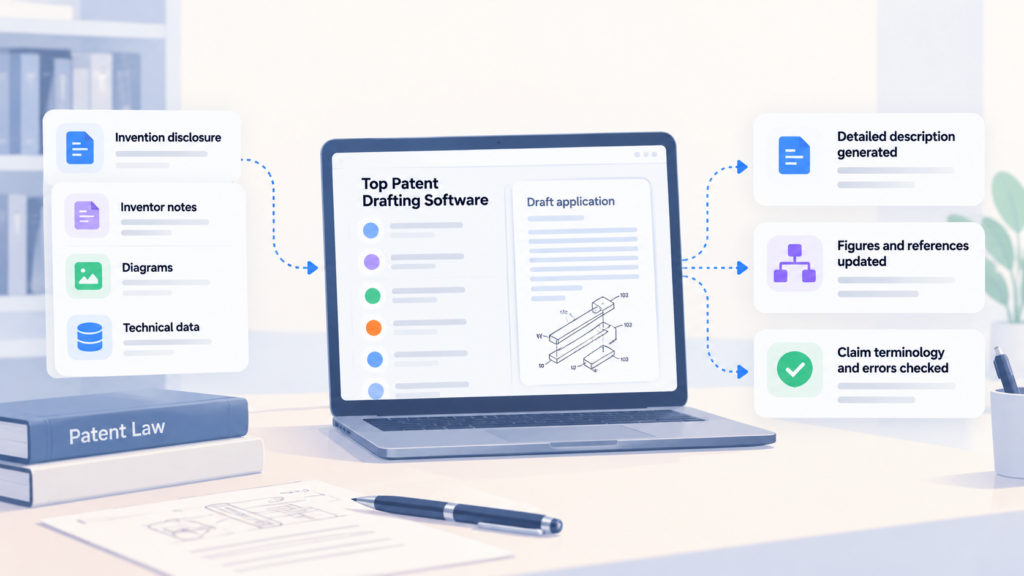
To narrow your options, you should consider where you need help in your drafting process. Some tools turn invention disclosures into first drafts. Others work from claims you’ve already written to prepare descriptions and figures. If you prefer to stay in Word, add-ins can help with specific writing and proofreading tasks.
With those different needs in mind, we compare ten patent drafting tools and explain where each fits. We also cover the factors to evaluate before choosing one for your practice.
6 Factors To Consider When Choosing Patent Drafting Software
Producing a first draft of your patent quickly is useful. However, the time saved can disappear if patent attorneys have to correct technical details, rewrite sections, or repair formatting.
The right software should support the work your patent practice handles, from developing an invention disclosure into an application to reviewing the final draft. These six factors can help you assess how well a platform fits that process.
1. Coverage of Your Drafting Needs
Patent drafting tools support different stages of the process. Some turn invention disclosures into draft applications. Others expand existing claims into descriptions or check documents that attorneys have already prepared.
You should consider where your patent attorneys spend the most time, then test whether the software addresses that work. Use materials similar to those you regularly receive, such as inventor notes, diagrams, and experimental data. This helps you see what the platform can produce, what information it needs, and what your team will still have to do.
| Question to ask: Can the software handle our invention materials and the drafting tasks we need? |
2. Technical Accuracy and Claim Support
A draft can read well while describing the invention incorrectly. It may omit a component, change how a process works, or introduce a detail the inventor never supplied. Technical detail in the draft can also shape what happens after filing. Triangle IP is using prosecution predictions during drafting to show patent teams where an application may be routed while there is still time to strengthen how the invention is described.
You can compare the output with the original disclosure. Then assess whether the software helps attorneys check that the description supports the claims and uses consistent terminology. You’ll also want to check claim dependencies and figure references. When a claim changes, the platform should help you identify related passages that may need revision.
If checking completed drafts is a major part of your workflow, patent proofreading software can help with that review. These tools focus on issues such as claim consistency, antecedent basis, terminology, and specification support.
| Question to ask: How does it help us check technical accuracy, claim support, and consistency? |
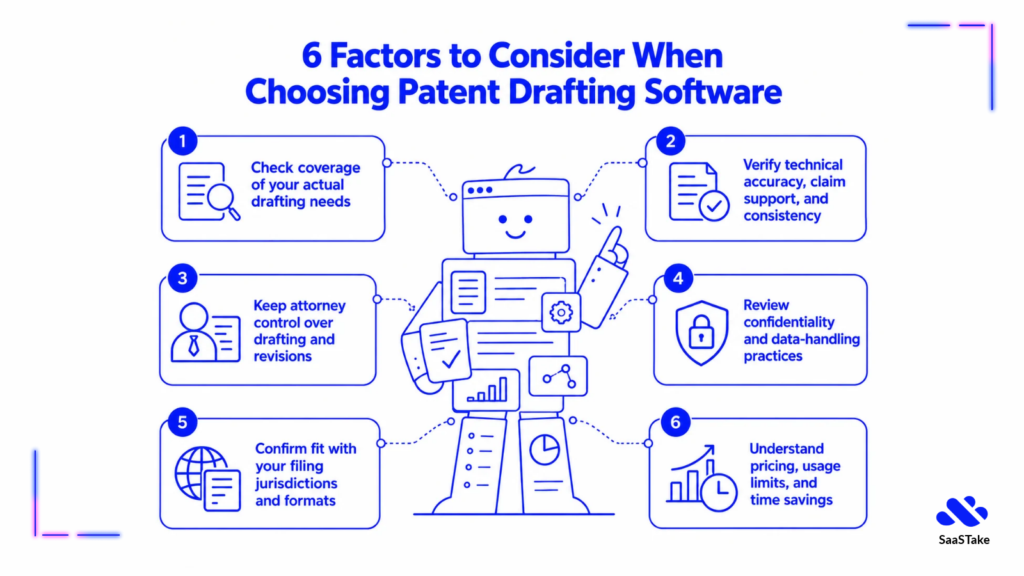
3. Control Over Drafting and Attorney Review
Patent attorneys often work with established templates, preferred terminology, and client-specific instructions. The software should let you apply those conventions without repeatedly correcting the same language.
Check whether you can revise individual sections while preserving the rest of the application. Review becomes more important as AI takes on more of the patent work. Attain IP is approaching patent AI around giving professionals evidence they can inspect and challenge before relying on the result.
Also, you can test how documents move into your review process. If attorneys use Microsoft Word, examine whether formatting, claim numbering, comments, and tracked changes transfer correctly. These details determine how much cleanup your team will need to do after the software generates a draft.
| Question to ask: Can we customize drafts and manage revisions in our existing review workflow? |
4. Confidentiality and Data Handling
Invention disclosures may contain unpublished research, experimental results, and details about products under development. Before uploading those materials, you need to understand how the provider handles them.
You should check whether inputs and drafts are used to train AI models, how long they are retained, where they are processed, and who can access them. Make sure you understand how any third-party AI services handle your data, too. A policy excluding data from training does not, by itself, explain how that data is stored or deleted.
| Question to ask: Who can access our data, and how is it stored, used, and deleted? |
5. Fit with Your Filing Practices
A platform might generate a good first draft but still leave your attorneys with plenty of document preparation. How much extra work your team faces will depend partly on whether the software supports your filing jurisdictions, application types, and formatting requirements.
You need to test its templates and export a sample application. You should also check the section structure, claim numbering, and figure placement against your usual requirements. If your practice prepares applications for several patent offices, assess how easily you can adapt the draft for each jurisdiction.
| Question to ask: How much adaptation will drafts need for the patent offices we file with? |
6. Pricing and Usage Limits
The subscription price might not cover every user, application, or feature your practice needs. Charges for additional seats, AI credits, document volume, or drafting capabilities can affect the total.
You can estimate the cost using your expected application volume and normal revision process. During a trial, measure the time spent preparing inputs, correcting output, and completing attorney review. This gives you a more useful measure of value than the time taken to generate a first draft.
| Question to ask: What will it cost at our filing volume, and how much drafting and review time will it save? |
With these factors in mind, let’s examine the ten patent drafting tools and where each one fits best.
Top 10 Patent Drafting Software in 2026
Patent drafting software has evolved beyond simple document editing. Some tools use AI to prepare the first draft. Others help review claims, improve specifications, or work directly inside Microsoft Word. A few are built as part of a larger patent management platform, while others focus only on drafting.
The right choice depends on how your team prepares patent applications and where you need the most support. Here are ten patent drafting software solutions worth considering in 2026:
- DeepIP
- Solve Intelligence
- Eureka by Patsnap
- Patlytics
- Qatent by Questel
- IP Author by Dolcera
- Ingenia by Edge
- Patent Bots
- ClaimMaster
- PatentPal
Now let’s look at each one in more detail.
1. DeepIP – Best for Patent Attorneys Who Want AI Drafting Inside Microsoft Word
DeepIP helps patent attorneys draft applications directly in Microsoft Word. You can start with invention disclosures, drawings, or notes and use AI to prepare claims, specifications, and abstracts. The platform also supports prosecution, prior art searches, and other patent work.
Source – DeepIP
For attorneys who already draft in Word, DeepIP brings AI assistance into a familiar workspace. You can use your firm’s templates and preferred language, explore different ways to phrase claims, and revise sections as the application develops. It also supports adapting drafts to USPTO, EPO, and PCT requirements, which is useful for practices handling filings across jurisdictions.
Key Features
- AI-Assisted First Drafts: Generate initial application drafts from invention disclosures, notes, or drawings.
- Disclosure Analysis: Summarizes invention materials, clarifies technical terms, and identifies gaps that need further input.
- Claim Scope Refinement: Explores broader or narrower claim formulations without rebuilding the claim set.
- Embodiment Descriptions: Generates detailed descriptions of how the invention can be implemented.
- Style and Template Matching: Applies firm templates, preferred language, and formatting to generated drafts.
Integrations
DeepIP integrates with Microsoft Word for drafting and review, and Outlook for managing office action deadlines and receiving response suggestions. It also connects with docketing systems and offers a REST API for custom integrations.
Security
DeepIP holds ISO 27001 and ISO 42001 certifications and has SOC 2 Type II assurance. It encrypts data in transit and at rest and uses a zero-retention API for AI processing. Client data is not used for model training.
Notable Customers
Dilworth IP, Schwegman Lundberg & Woessner, and Nixon & Vanderhye.
Rating
4.8/5, based on 4 reviews.
Pricing
DeepIP does not list standard subscription prices in the supplied product information. You can request a demo or apply for a free trial.
2. Solve Intelligence – Best for Patent Practices Drafting Across Different Technical Fields
Solve Intelligence is an AI platform for patent drafting, prosecution, claim charting, and other IP work. It serves more than 700 law firms and in-house IP departments across fields including mechanical engineering, electronics, software, chemistry, and biotechnology.
Source – Solve Intelligence
Its interactive drafting approach lets attorneys give instructions, review generated text, and refine individual sections as the application develops. If an inventor clarifies a technical detail, you can use that information to revise the relevant passage. This gives attorneys a way to develop the draft in stages, reviewing and directing the work before moving to the next section.
Key Features
- Drafting Customization: Adapts output to attorney preferences, industry requirements, and filing jurisdictions.
- AI-Assisted Application Drafts: Generates patent application drafts from invention materials, with sections for claims, descriptions, summaries, and abstracts.
- Chemical Structures and Biological Sequences: Adds, edits, and generates structures and sequences directly within drafts, including material imported from existing files.
- Figure Generation and Editing: Creates patent figures with AI and lets users request additions, revise drawings, and collaborate with inventors.
- Application Review: Flags inconsistent terminology and antecedent basis issues through inline comments, with suggested corrections that users can apply.
Integrations
Solve integrates with Microsoft Word, SharePoint, Google Drive, iManage, and NetDocuments. Its iManage integration lets attorneys bring stored documents into Solve projects as drafting context, following a one-time setup by the firm’s IT staff.
Security
Uploaded materials and generated output are never used to train AI models. Solve offers regional processing options and controls over data retention by third-party model providers. It holds SOC 2 Type II and ISO 27001 certifications and encrypts data in transit and at rest.
Notable Customers
Intel, DLA Piper, Banner Witcoff, BCLP, and Quarles.
Rating
G2: 4.9/5, based on 17 reviews.
Pricing
Solve offers custom enterprise pricing based on the firm or organization’s requirements. You can contact Solve for a quote.
3. Eureka by Patsnap – Best for Patent Professionals Who Want Research and Drafting in One Workflow
Eureka by Patsnap combines AI patent drafting with access to Patsnap’s patent and technical intelligence. It supports work from invention disclosure through application review, with options to draft in Microsoft Word or a browser.
Source – Eureka
Its main appeal is the connection between research and document preparation. Patent professionals can consult relevant patent information as drafting questions arise, then continue working on the application within the same workflow. This makes Eureka worth evaluating for practices that regularly move between reviewing technical evidence and preparing patent documents. If prior art research is a separate priority, you can also compare dedicated AI patent search tools. These tools focus more specifically on finding relevant patents through semantic and contextual search.
Notable Features
- AI-Assisted Application Drafts: Generates application drafts from invention disclosures, with claims, specifications, and drawing descriptions.
- Disclosure Analysis: Turns notes, sketches, and prototype descriptions into structured disclosures, highlighting missing details and potential claim directions.
- Patent Figure Generation: Annotates, redraws, and generates figures from sketches or product photos, with component labels and consistent reference numbers.
- Drafting Controls: Uses configurable templates, instructions, and styles to control document structure, terminology, technical detail, and attorney preferences.
- Auto and Copilot Modes: Offers automated workflow execution or guided interaction, allowing patent professionals to choose how closely they direct the drafting process.
Integrations
Eureka offers a Microsoft Word plugin for drafting, reviewing, and writing content back into documents. It also supports exporting drafted content as Word files.
Security
Queries, uploads, saved patents, and analysis outputs are excluded from AI model training. Eureka encrypts data in transit and at rest and provides access controls. Its security credentials include ISO 27001 certification and SOC 2 assurance.
Notable Customers
Canon and Ecovacs.
Rating
No reviews listed.
Pricing
Eureka offers a 14-day free trial with 10,000 credits and no credit card required. The trial typically covers approximately one patent application draft. The Max plan costs $200 per month and includes unlimited drafting and prosecution workflows, Word exports, and access to Eureka Pro.
4. Patlytics – Best for Patent Practices Working From Varied Invention Materials
Patlytics helps law firms and corporate IP departments draft applications and manage related patent work. Its capabilities extend to prosecution, infringement analysis, invalidity research, and portfolio management.
Source – Patlytics
Its drafting workflow is useful when information about an invention arrives across several documents rather than one complete disclosure. Patent attorneys can develop an application within the platform and remain involved as it moves toward review. For practices handling both patent preparation and later analysis, Patlytics also provides related capabilities without requiring a separate platform for each task.
Key Features
- Detailed Description Drafting: Generates detailed descriptions from invention materials to support preparation of the specification.
- AI-Assisted Application Drafts: Generates initial patent applications from source materials, giving attorneys a draft to review and refine.
- Custom Invention Disclosures: Creates structured invention disclosure forms tailored to the information needed for patent preparation.
- Source Material Auditing: Examines internal and external materials, including images, technical figures, and presentations, to inform drafting.
- Claim Tree Structuring: Organizes proposed claims into a claim tree to help attorneys review their structure and relationships.
Integrations
Patlytics offers a Microsoft Word plugin for working with patent documents.
Security
Patlytics holds ISO 27001 and ISO 42001 certifications and has SOC 2 Type II assurance. Customer data is encrypted in transit and at rest, segregated, and never used to train models.
Notable Customers
Rivian, Aspen Aerogels, Asahi Kasei, Sanofi, and Canon.
Rating
G2: 4.9/5, based on 30 reviews.
Pricing
Patlytics does not publish standard subscription pricing. You can contact its sales representatives for a quote.
5. Qatent by Questel – Best for Patent Attorneys Turning Existing Claims Into Application Drafts
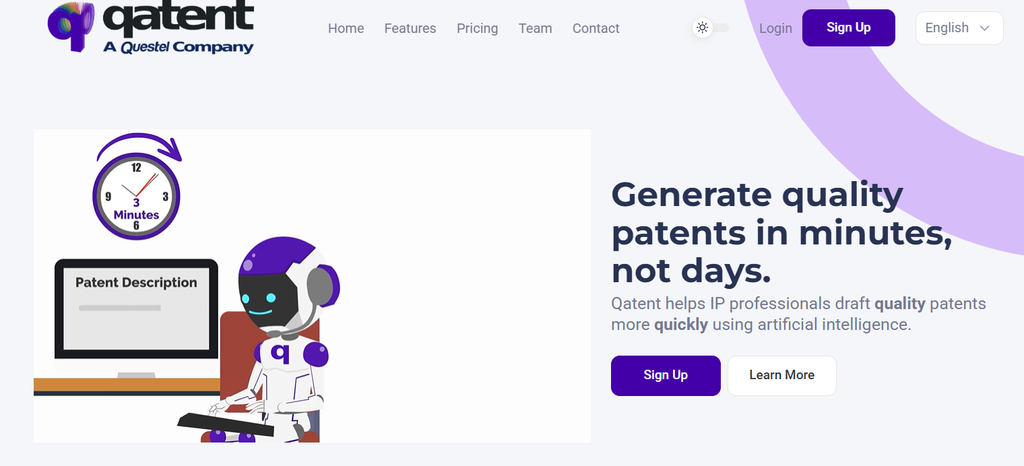
Qatent is AI-powered patent drafting software built around a claims-first workflow. It helps patent attorneys develop applications from an initial claim set while keeping strategic decisions with the practitioner.
Source – Qatent
When you already have proposed claims, Qatent helps you build the application around them. You can work through the draft section by section or generate the description together, then review and refine the result. It also keeps drafting projects organized, allowing attorneys to retrieve earlier work and reuse suitable material in later applications.
Key Features
- Claims-Based Draft Generation: Generates patent descriptions from supplied claim sets, with options to arrange sections before generation.
- Claim Wording Suggestions: Suggests alternative terms and claim paraphrases to help attorneys consider different ways to express the intended scope.
- Claim Error Checks: Flags reference errors and unusual words, while supporting automatic term selection and numbering.
- Description Review Tools: Provides review prompts, alternative wording, error checks, and comments for colleagues or clients.
- Draft Modification History: Stores a detailed history of changes so attorneys can retrieve and recover earlier versions.
Integrations
Qatent exports applications as DOCX files for further work in Microsoft Word. Exports can include comments and review instructions for colleagues or clients.
Rating
No reviews listed.
Pricing
Qatent costs €200 per user per month or €2,000 per user per year, excluding tax. The monthly subscription has no long-term commitment.
6. IP Author by Dolcera – Best for Patent Practices Preparing USPTO and EPO Applications
IP Author helps patent attorneys prepare applications and handle the examination work that follows. More than 1,000 patent professionals use its tools for invention disclosures, drafting, prior art searches, and Office Action responses.
Source – IP Author
Patent attorneys retain control over reviewing, editing, and accepting generated content as the application develops. The platform supports both USPTO and EPO drafting requirements, making it worth evaluating for practices filing in these jurisdictions. Once an application enters examination, attorneys can use its prosecution tools to assess rejections and prepare responses within the same platform.
Notable Features
- AI-Assisted Application Drafts: Generates complete application drafts from invention disclosures, including specifications, claims, and figures.
- Claim Construction: Generates method and system claims, with options to shape claim scope and use jurisdiction-specific claim styles.
- Detailed Description Generation: Produces structured specification sections grounded in the technical information supplied in the invention disclosure.
- Integrated Prior Art Search: Searches patent and non-patent literature within the drafting workflow to help attorneys refine claims and specifications.
- Figure and Technical Reference Management: Automatically labels and references figures and flowcharts while maintaining consistency for chemical structures and biological sequences.
Security
IP Author is SOC 2 Type II compliant, and customer data remains isolated and is never used for model training. Zero Data Retention options and confidentiality controls are available.
Notable Customers
Loop IP Law, Adler Pollock & Sheehan, and Chevron Oronite.
Rating
No reviews listed.
Pricing
The Patent Drafting Tool costs $4,800 per year, including unlimited inventions and the prior art module, with a 12-month commitment. The drafting and Office Action Response bundle costs $9,590 per year. A 14-day free trial is available.
7. Ingenia by Edge – Best for Patent Professionals Who Need Drafting and Figure Editing Together
Ingenia, Edge’s patent drafting product, helps patent professionals prepare applications with AI assistance. It brings invention disclosure work, application text, and patent figures into the same interface.
Source – Ingenia
For attorneys working on applications with substantial visual content, having drawing tools alongside the draft can simplify preparation. You can develop the written application and work on its illustrations without treating them as entirely separate tasks. Ingenia also supports USPTO and EPO drafting practices, making it relevant for patent professionals handling applications in both regions.
Notable Features
- AI-Assisted Claims and Descriptions: Drafts claims and generates detailed descriptions, with editing support as the application develops.
- Invention Disclosure Processing: Parses inventor materials in different formats and helps turn them into structured disclosures.
- Patent Figure Generation: Creates line drawings, flowcharts, and hatched graphs using AI.
- Figure Label Management: Supports figure editing with synchronized lead lines and tracks element names.
- Drafting Style Customization: Adapts generated text to the patent professional’s preferred drafting style.
Security
Edge has SOC 2 Type II assurance and supports GDPR compliance. Data is encrypted in transit and at rest and excluded from model training. Data residency options are available based on practice location.
Notable Customers
McCarter & English, Taft, K&L Gates, Nestlé, Reichel Stohry Dean, APM & Co., Aera, and Xero.
Rating
No review listed.
Pricing
You can contact Edge for Ingenia pricing and request a product demo.
8. Patent Bots – Best for Attorneys Automating Specific Drafting Tasks and Proofreading
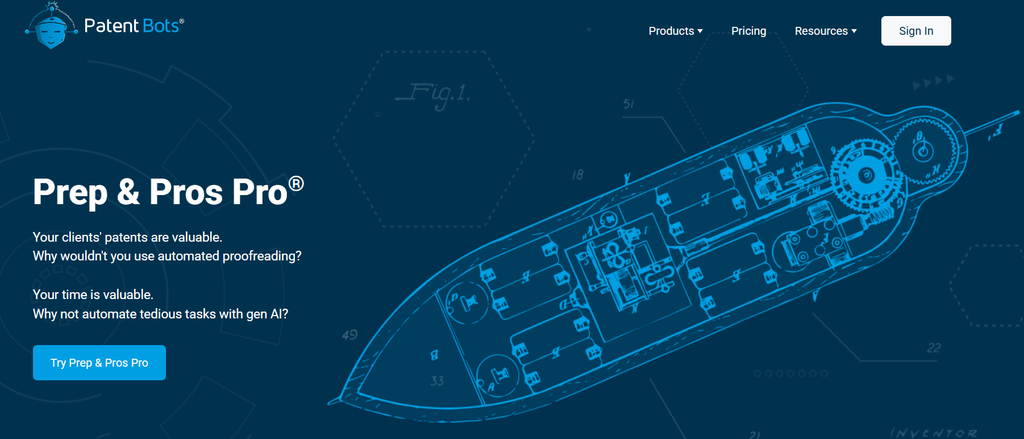
Patent Bots’ Prep & Pros Pro combines drafting automation with patent proofreading and routine prosecution tools. It focuses on selected application sections and edits, giving attorneys assistance within the drafting process.
Source – Patent Bots
You can use it while developing an application to reduce repetitive writing and check the document before substantive review. Its approach suits practitioners who prefer to build the application themselves while using automation for clearly defined tasks. Access through Microsoft Word and a browser gives attorneys flexibility to work within their usual document workflow.
Notable Features
- Application Section Drafting: Generates abstracts, brief descriptions of figures, claim summaries, and claim clauses.
- Drafting Chat Assistant: Uses invention disclosures and supporting documents as context when responding to drafting instructions.
- Reusable Custom Prompts: Saves drafting prompts so attorneys can reuse instructions for recurring tasks.
- Automated Patent Proofreading: Checks application drafts for errors, including antecedent basis issues, to support attorney review.
- Flowchart Automation: Supports creating PowerPoint and Visio flowcharts as part of application preparation.
Integrations
Patent Bots provides a Microsoft Word add-in and a browser interface for accessing its drafting and proofreading tools.
Security
Patent Bots has SOC 2 Type II assurance and processes documents on U.S.-based servers. Documents are discarded immediately after processing, and their contents are neither stored nor logged. Customer data is excluded from AI model training, and communications are encrypted.
Notable Customers
Osha Liang, Thomas Horstmeyer, Pillsbury, Pierce Atwood, and Morse.
Rating
No reviews listed.
Pricing
Individual Prep & Pros Pro subscriptions cost $702 per practitioner per year and are available to registered practitioners at law firms. Office Action Admin tools are excluded from this plan. Separate firm-wide and company subscriptions are also available.
9. ClaimMaster – Best for Patent Attorneys Who Want Customizable Drafting Automation Inside Word
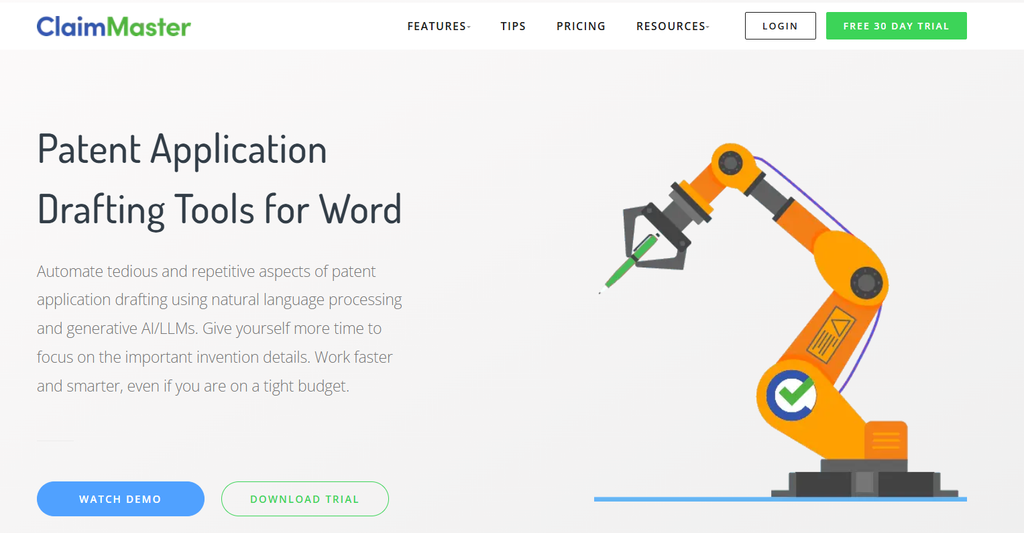
ClaimMaster adds patent drafting, proofreading, and document automation tools directly to Microsoft Word. Its +Drafting capabilities support section-by-section preparation, allowing attorneys to generate the material they need while controlling the application’s development.
Source – ClaimMaster
You can start with your own claims and build on existing drafting conventions rather than adopt an entirely new workflow. ClaimMaster combines template-based automation with optional generative AI, giving practitioners a choice in how they prepare and refine text. It is particularly relevant for attorneys who want reusable drafting processes and control over which AI models handle their work.
Notable Features
- AI-Assisted Section Drafting: Generates application sections, figure descriptions, and technical explanations, and rewrites, expands, or shortens existing text.
- Claim Transformation: Converts method claims into system, device, and computer-readable-medium claims, and generates summaries, abstracts, and example clauses.
- Figure and Flowchart Generation: Creates auto-numbered figures and corresponding descriptions from reusable templates, with support for Visio, PowerPoint, and Word drawings.
- Custom Prompts and Examples: Saves prompts enriched with document content and uses a local library of text examples to guide AI output.
- Patent-Specific Proofreading: Checks antecedent basis, specification support, claim consistency, part numbers, and other drafting errors.
Integrations
ClaimMaster runs as a Microsoft Word add-in and supports Visio and PowerPoint drawing formats. Its AI tools connect to OpenAI, Azure OpenAI, Anthropic Claude, and local LLMs. It can also import and reuse data from docketing systems.
Security
Proofreading and non-LLM drafting tools run locally without sending application content to the cloud. Optional AI tools can connect to private endpoints or local models. Data handling for AI-assisted work depends on the selected model and configuration.
Notable Customer
Fish & Richardson
Rating
4.6/5, based on 24 reviews.
Pricing
The pricing page displays the PRO Draft Shells package at $75 per user per month. It includes drafting, proofreading, and shell-generation tools. Annual subscriptions offer a 20% saving, and a fully featured 30-day free trial is available.
10. PatentPal – Best for Patent Attorneys Generating Specifications and Figures from Existing Claims
PatentPal focuses on the repetitive writing involved in preparing patent applications. Attorneys supply an existing claim set through the browser and use it as the starting point for generating supporting application material.
Source – PatentPal
The claims-first approach suits practitioners who prefer to establish claim language before developing the rest of the draft. PatentPal handles a narrower part of preparation than platforms covering research, drafting, and prosecution together. You can generate the supporting material, then move it into your usual document and drawing tools for further editing and review.
Notable Features
- Method Flowcharts: Generates flowcharts from method claims to illustrate the steps described.
- System and Device Diagrams: Creates block diagrams from claims covering systems and devices.
- Figure Description Drafting: Generates detailed descriptions of the figures created from the supplied claims.
- Abstract and Summary Generation: Produces abstract and summary sections based on the claim set.
- Custom Language Profiles: Applies preferred phrases to generated text, updates the specification in real time, and supports switching between saved profiles.
Integrations
PatentPal exports drafts to Microsoft Word and figures to Visio or PowerPoint for further editing.
Security
Patent documents are processed in memory on Amazon Web Services. Storage is limited to what is necessary to provide the software service. Document contents and generated output are not shared with other third parties.
Rating
No reviews listed.
Pricing
PatentPal offers a free trial. Standard subscription prices are not published on its homepage. You can contact PatentPal for current pricing.
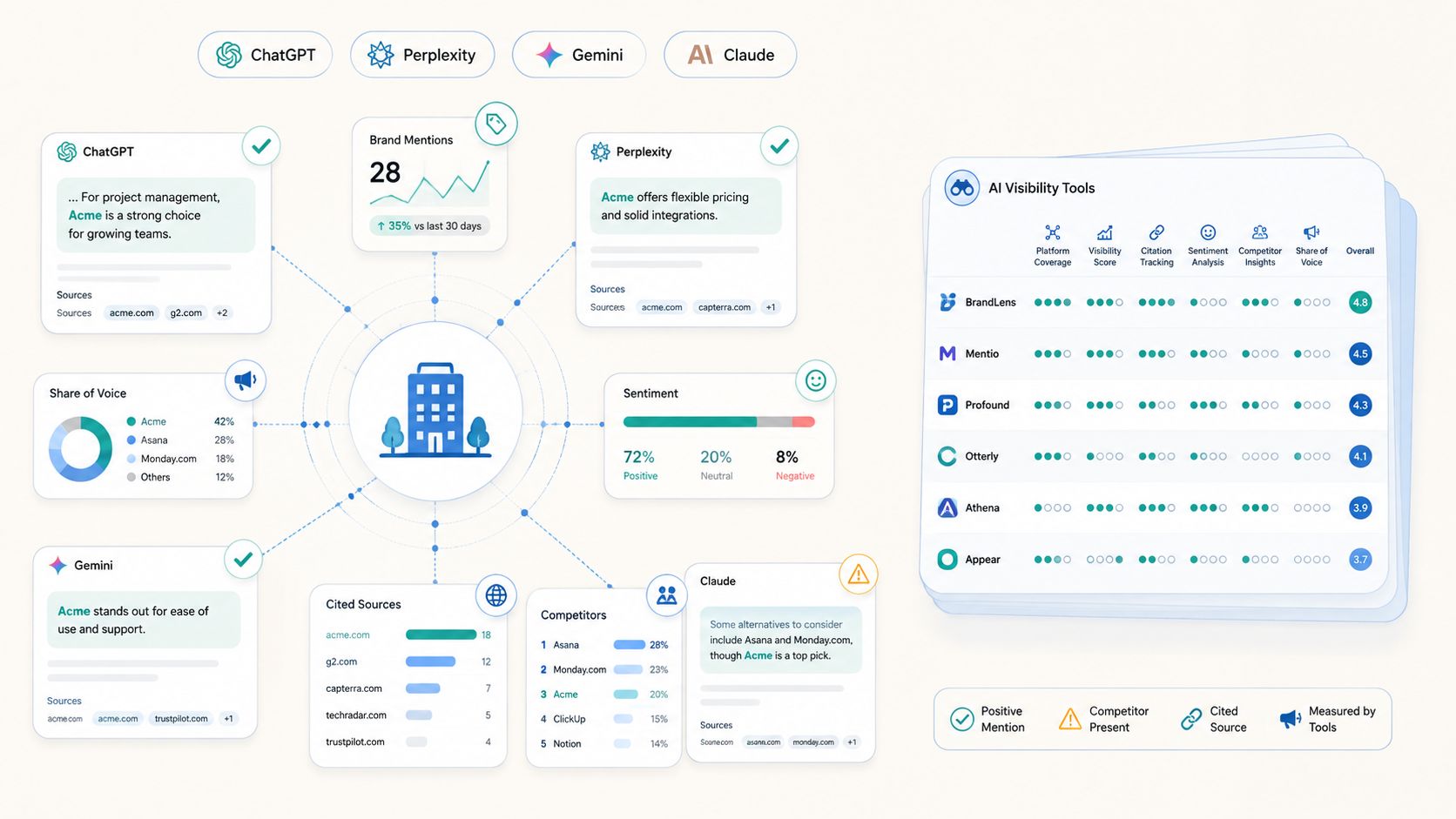
Some of these tools also appear frequently when buyers ask AI platforms for patent drafting software recommendations. In our study of patent drafting software visibility in AI search, we found DeepIP, Solve Intelligence, and Patlytics recurring across queries tested on ChatGPT, Gemini, and Perplexity.
Now, let’s have a quick look at how these tools compare.
How the Top 10 Patent Drafting Software Compare
The right patent drafting tool depends on how your practice prepares applications. You may need help developing disclosures into drafts, expanding existing claims, or checking documents before filing.
This table compares where each tool fits, its main strengths, and the limitations highlighted in public reviews and product information.
| Software | Best For | Integrations | Strengths | Limitations |
| DeepIP | Patent attorneys wanting AI drafting inside Word | Microsoft Word, Outlook, docketing systems, REST API | • Straightforward drafting within Word. • Custom styles help drafts follow attorney preferences. | • Some prosecution workflows required switching between Word and the browser. |
| Solve Intelligence | Patent practices drafting across different technical fields | Microsoft Word, SharePoint, Google Drive, iManage, NetDocuments | • Generates detailed specifications with adaptable drafting styles. • Supports software, chemistry, and life sciences applications. | • Advanced capabilities can take time to learn. • Mechanical drawings and labels may require considerable manual input. |
| Eureka by Patsnap | Patent professionals combining research and drafting. | Microsoft Word plugin, Word export | • Connects prior art research with application drafting. • Combines disclosure analysis, figure generation, and drafting controls. | • Trial credits typically cover approximately one application draft. |
| Patlytics | Patent practices working from varied invention materials | Microsoft Word plugin | • Audits source materials before drafting. • Organizes patent information with useful AI summaries. | • Advanced functions can take time to learn. • Large datasets may cause processing delays, and the interface can feel dense. |
| Qatent by Questel | Patent attorneys turning existing claims into application drafts | Word export with comments | • Generates descriptions from existing claims. • Provides wording suggestions and terminology checks. | • Initial life sciences claims needed substantial correction. • Sequence- and structure-specific drafting workflows were limited in that version. |
| IP Author by Dolcera | Patent practices preparing USPTO and EPO applications | Word export | • Generates first drafts across application sections. • Integrated prior art search explains similarities and differences. | • Earlier testing found incorrect flowchart sequencing and claim dependencies. • Generated claims sometimes mixed method and system language. |
| Ingenia by Edge | Patent professionals combining drafting and figure editing | — | • Combines claims, descriptions, and patent figures. • Tracks figure elements and synchronizes lead lines. | • No published subscription prices, so you need a quote before comparing costs. |
| Patent Bots | Attorneys automating selected drafting tasks and proofreading | Microsoft Word add-in, browser access | • Combines section drafting with patent proofreading. • Reusable prompts support recurring writing tasks. | • Focuses on sections and edits rather than complete application generation. • Overall draft assembly remains with the attorney. |
| ClaimMaster | Patent attorneys wanting customizable drafting automation inside Word | Microsoft Word, Visio, PowerPoint, OpenAI, Azure OpenAI, Claude, local LLMs | • Checks antecedent basis and application consistency. • Combines drafting automation with proofreading inside Word. | • Antecedent checks can produce false-positive alerts. • Custom rules can be difficult to configure without technical experience. |
| PatentPal | Patent attorneys generating specifications and figures from existing claims | Word, Visio, and PowerPoint exports | • Generates diagrams and descriptions from claims. • Saved profiles apply preferred wording consistently. | • Requires drafted claims before generating supporting text and figures. • Focuses on supporting text and figures rather than developing claims from disclosures. |
Key Takeaways
Choosing patent drafting software starts with understanding where your practice spends the most time preparing an application. Some attorneys need help turning invention disclosures into drafts. Others need to expand existing claims, prepare figures, or check documents before review. The comparison above can help you narrow the options around those needs.
Once you have a shortlist, you can test two or three tools using approved materials that reflect your usual patent work. Check whether the draft describes the invention accurately, supports the claims, and keeps terminology and figures consistent. You should measure the time needed to correct and review the output, then compare costs at your expected filing volume. This will help you choose software that saves work across the process, from initial preparation through attorney review.
Disclaimer: This article is based on publicly available information, including product documentation, analyst reports, third-party reviews, and pricing data sourced from G2, Gartner, Forrester, and Capterra. We have not independently tested any of the platforms listed. Pricing information was accurate at the time of research but may have changed. Always verify pricing and feature details directly with vendors before making a purchasing decision.